
Introduction
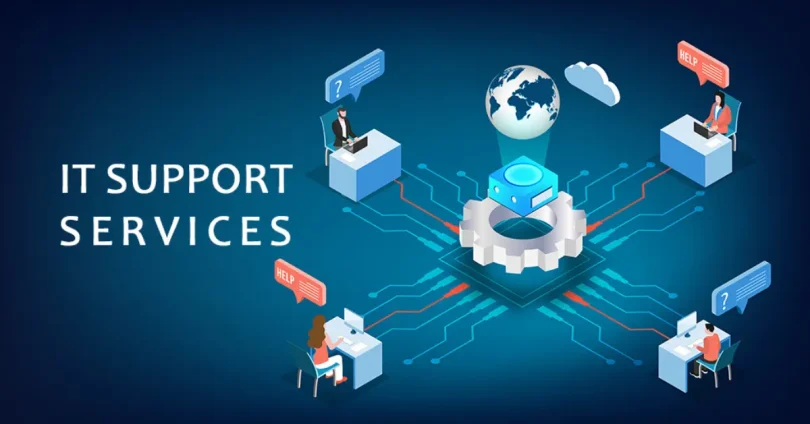
In today’s fast-paced digital economy, businesses of all sizes rely heavily on technology to operate efficiently, serve customers, and stay competitive. From cloud computing and cybersecurity to remote work infrastructure and software integration, IT has become the backbone of modern business operations.
As we move through 2025, this dependence on technology has only deepened. Companies need more than just functioning systems—they need reliable, proactive, and scalable IT support to minimize downtime, protect data, and adapt to rapidly changing tech landscapes.
In this post, we’ll explore:
- Why dependable IT support is critical in 2025
- The different types of IT support services available
- Key features to look for in a support provider
- How to align IT support with your business needs
- Common pitfalls and how to avoid them
Whether you’re a growing startup or a large enterprise, understanding the role of IT support can help you make smarter technology decisions and ensure your operations run smoothly.
What Are IT Support Solutions?
IT support solutions refer to the range of services and resources designed to help businesses manage, maintain, and optimize their technology infrastructure. These solutions are crucial for ensuring that a company’s systems run smoothly, securely, and efficiently—minimizing disruptions and enabling teams to focus on core business activities.
Definition and Scope
IT support solutions encompass both technical assistance and strategic services that cover everything from troubleshooting hardware and software issues to managing networks, servers, and cybersecurity.
The scope of IT support can include:
- Reactive support (fixing problems as they arise)
- Proactive monitoring (identifying and preventing issues before they cause downtime)
- Strategic IT consulting (planning infrastructure upgrades, scaling, or digital transformation)
The Role of IT Support in Daily Operations
Reliable IT support ensures that:
- Employees stay productive by resolving technical issues quickly
- Business systems remain operational with minimal downtime
- Cybersecurity risks are managed through firewalls, antivirus software, and data backups
- Software and hardware stay updated and aligned with business needs
- Remote work infrastructure (VPNs, cloud services, collaboration tools) is fully supported
- Compliance requirements are met through proper IT governance and data protection measures
In short, IT support plays a critical role in keeping the digital engine of your business running.
Types of Services Included Under IT Support
IT support services typically fall into several key categories:
1. Help Desk Support
- Troubleshooting hardware, software, and user-access issues
- Available via phone, email, chat, or ticketing systems
2. Network and Infrastructure Management
- Monitoring and maintaining servers, routers, switches, and firewalls
- Ensuring stable, secure, and optimized network performance
3. Cybersecurity Services
- Threat detection and response
- Endpoint protection, data encryption, and secure remote access
4. Cloud and Data Management
- Cloud migration and integration support
- Data backup, disaster recovery, and storage management
5. Software and Hardware Support
- Installation, updates, and troubleshooting for business-critical tools
- Procurement advice and lifecycle management
6. IT Strategy and Consulting
- Technology planning aligned with business goals
- Auditing existing systems for scalability and efficiency improvements
Why Businesses Need IT Support
As technology becomes increasingly integral to business operations, having reliable IT support is no longer optional—it’s essential. Whether you’re a small business or a growing enterprise, IT support provides the technical backbone that keeps your organization running efficiently and securely. Here’s why it’s critical in 2025:
1. Reducing Downtime and Operational Disruptions
- System outages, software glitches, and hardware failures can bring operations to a standstill.
- IT support helps businesses quickly identify, resolve, and prevent issues, minimizing lost productivity and revenue.
- Proactive monitoring and maintenance reduce the likelihood of unexpected disruptions.
2. Supporting Remote/Hybrid Work Environments
- With remote and hybrid work now mainstream, IT teams play a vital role in managing secure access, collaboration tools, and device support across locations.
- IT support ensures that employees have consistent access to the tools and systems they need, regardless of where they work.
- They also help troubleshoot VPNs, cloud apps, and communication platforms to keep workflows uninterrupted.
3. Strengthening Cybersecurity Posture
- Cyber threats in 2025 are more sophisticated and frequent than ever.
- IT support includes firewall management, antivirus software, endpoint protection, and threat detection systems.
- They enforce security policies, employee training, and rapid incident response, significantly reducing the risk of breaches or data loss.
4. Enabling Scalability and Tech Growth
- As businesses grow, so do their technology needs. IT support enables scalable infrastructure, from cloud services to network expansions.
- IT teams help plan and execute upgrades, integrate new software, and support digital transformation efforts.
- They ensure that systems scale without compromising performance or security.
5. Ensuring Regulatory Compliance
- Many industries are subject to strict regulations (e.g., GDPR, HIPAA, PCI-DSS).
- IT support helps businesses stay compliant by implementing the necessary data protection measures, audit trails, and access controls.
- They also assist in maintaining records, encryption, and policy enforcement to avoid costly fines and legal exposure.
Final Thought:
Reliable IT support isn’t just about fixing problems—it’s about enabling business continuity, protecting digital assets, and supporting future growth. In an era where technology touches every part of the business, investing in the right IT support is a strategic necessity.
Key Types of IT Support Solutions
IT support solutions come in many forms, tailored to different business needs, technical environments, and budgets. Below is an overview of the most common types of IT support available in 2025, and how each plays a role in maintaining smooth and secure operations.
a. On-Site IT Support
- Definition: Physical, in-person assistance provided at your business location.
- Use Case: Essential for troubleshooting hardware issues, installing equipment, configuring networks, and handling complex physical infrastructure needs.
- Best For: Offices with frequent hardware issues, internal server rooms, or where direct hands-on support is required.
b. Remote IT Support
- Definition: IT professionals provide support digitally via screen sharing, phone, chat, or remote access tools.
- Use Case: Ideal for fast troubleshooting, software updates, and user support—without needing someone on-site.
- Benefits: Cost-effective, responsive, and scalable. Often included in managed services.
c. Managed IT Services (MSPs)
- Definition: Outsourced, end-to-end IT support provided by a third-party company.
- Services Include: 24/7 system monitoring, maintenance, security, cloud management, help desk support, and strategic IT planning.
- Best For: Small to mid-sized businesses that want comprehensive support without building an internal IT department.
- Benefit: Predictable monthly cost and proactive issue resolution.
d. Help Desk Services
- Definition: A centralized support channel for users to report technical issues and get resolutions.
- Function: Handles common IT queries like password resets, software bugs, login issues, and system access problems.
- Structure: Often tiered (Tier 1 for basic issues, Tier 2+ for escalated technical problems).
- Delivery: Available via phone, email, chat, or ticketing systems.
e. Cloud Support
- Definition: Assistance with cloud-based infrastructure, platforms, and applications.
- Services Include: Cloud migration, configuration, performance optimization, cost management, and troubleshooting.
- Platforms Supported: AWS, Microsoft Azure, Google Cloud, and SaaS tools like Microsoft 365 and Google Workspace.
- Best For: Businesses transitioning to or operating in cloud environments.
f. Cybersecurity Support
- Definition: Dedicated support focused on protecting systems and data from cyber threats.
- Components: Antivirus management, firewall configuration, intrusion detection systems (IDS), phishing protection, and endpoint security.
- Use Case: Ongoing monitoring and incident response to defend against breaches and attacks.
- Compliance: Often includes services aligned with regulatory standards (e.g., GDPR, HIPAA).
g. Backup and Disaster Recovery (BDR)
- Definition: Services that ensure your data is backed up regularly and can be restored in case of failure or cyberattack.
- Includes: Automated backups, cloud storage, disaster recovery planning, and testing of recovery procedures.
- Benefit: Minimizes downtime and data loss during hardware failures, ransomware attacks, or natural disasters.
- Best For: Any business reliant on critical data for daily operations.
Summary
Each type of IT support solution serves a specific function, and most businesses will benefit from using a combination tailored to their operations. Whether it’s fast help desk response, ongoing cybersecurity monitoring, or scalable cloud support, investing in the right mix ensures resilience, efficiency, and peace of mind.
you may also like to read these posts:
Ultimate Guide to the Best VPN Services of 2025
Best Business Cybersecurity Tools in 2025
Essential Remote Work Tools for Teams in 2025
Reliable IT Support Solutions for All Business Sizes
Benefits of IT Support Solutions
Investing in professional IT support delivers far more than just technical troubleshooting—it provides strategic value that helps businesses stay efficient, secure, and competitive in a tech-driven landscape. Here are the key benefits:
1. Enhanced Productivity
- Minimized downtime: With fast troubleshooting and proactive monitoring, employees experience fewer tech-related disruptions.
- System optimization: IT support ensures software, networks, and hardware are running efficiently, allowing staff to focus on their work without slow systems or glitches.
- Support for remote teams: Smooth IT operations mean remote and hybrid workers stay connected and productive across locations.
2. Proactive Issue Prevention
- Monitoring and alerts: Many IT support providers use tools to monitor networks and systems 24/7, spotting and resolving issues before they become major problems.
- Scheduled maintenance: Regular updates, patches, and performance checks reduce the risk of failures or vulnerabilities.
- Reduced emergencies: Proactive care lowers the likelihood of costly, unexpected tech crises.
3. Stronger Data Protection
- Cybersecurity measures: IT support includes antivirus, firewalls, endpoint protection, and intrusion detection systems to guard against threats.
- Access control and compliance: Providers help implement user permissions, encryption, and audit trails that support data privacy and regulatory compliance.
- Backup and recovery: With managed backups and disaster recovery plans in place, businesses can quickly recover from data loss or breaches.
4. Cost-Effective Compared to In-House Teams
- Predictable expenses: Managed IT services typically work on a flat monthly rate, making budgeting easier.
- Lower staffing costs: Outsourcing reduces the need to hire, train, and retain full-time IT staff—especially for small to mid-sized businesses.
- Access to full-scale expertise: You get the benefit of a complete IT department for a fraction of the cost of building one internally.
5. Expert Consultation and Strategic Guidance
- Technology planning: IT support providers offer guidance on selecting the right tools, software, and infrastructure as your business grows.
- Compliance assistance: Get help navigating regulations like GDPR, HIPAA, or industry-specific data policies.
- Future-proofing: Providers help you plan for emerging technologies, scalability, and evolving business needs.
Final Thought
The right IT support solution does more than keep your systems running—it becomes a strategic partner in your business’s success. From safeguarding your data to boosting team performance, the long-term value of expert IT support far outweighs the cost.
Top Features to Look For in IT Support Solutions
When choosing IT support for your business, consider these essential features to ensure reliability, flexibility, and security:
- 24/7 Monitoring and Response
Continuous system monitoring and rapid issue resolution to minimize downtime and keep your operations running smoothly around the clock. - Scalable Service Plans
Flexible support options that can easily grow or adjust based on your business size, technology needs, and budget. - Cloud and Remote Support Compatibility
Ability to support hybrid IT environments with seamless remote troubleshooting and cloud infrastructure management. - Compliance Support (GDPR, HIPAA, etc.)
Assistance in maintaining regulatory compliance with industry-specific standards, helping protect sensitive data and avoid legal risks. - Transparent Pricing and Service Level Agreements (SLAs)
Clear, predictable costs paired with defined performance commitments and response times to set clear expectations and ensure accountability.
Best IT Support Tools and Providers in 2025
Here’s a rundown of some of the top IT support tools and providers, each known for reliability, features, and scalability:
1. NinjaOne
- Overview: Cloud-based IT management platform offering remote monitoring, patch management, and endpoint protection.
- Key Features: Automated IT workflows, real-time monitoring, integrated ticketing system.
- Pros: User-friendly interface, strong automation capabilities, excellent remote support tools.
- Cons: Can be pricey for smaller businesses.
- Best for: MSPs and mid-to-large businesses seeking centralized IT management.
2. Kaseya
- Overview: Comprehensive IT management and security platform focused on unified endpoint management.
- Key Features: Remote control, patch management, network monitoring, security tools.
- Pros: Highly customizable, extensive integrations, strong security features.
- Cons: Steeper learning curve, complex pricing structure.
- Best for: IT service providers and enterprises needing all-in-one IT operations.
3. GoTo Resolve
- Overview: Cloud-based remote support and endpoint management solution by GoTo.
- Key Features: Remote access, incident management, real-time chat support.
- Pros: Simple setup, scalable, integrated with other GoTo products.
- Cons: Limited advanced features compared to larger platforms.
- Best for: Small to medium businesses wanting straightforward remote support.
4. Microsoft Business Premium Support
- Overview: Support package included with Microsoft 365 Business Premium, focusing on Microsoft ecosystem products.
- Key Features: Access to Microsoft support, security updates, cloud service assistance.
- Pros: Seamless integration with Microsoft products, strong security features.
- Cons: Limited to Microsoft environment, less comprehensive for mixed-technology setups.
- Best for: Businesses heavily invested in Microsoft 365 and Azure services.
5. Local or Industry-Specific MSPs (Managed Service Providers)
- Overview: Regional or specialized IT service firms offering tailored support and onsite assistance.
- Key Features: Personalized service, industry knowledge, onsite hardware support.
- Pros: Customized solutions, fast local response, deep understanding of specific industry needs.
- Cons: May be costlier, limited scalability compared to large platforms.
- Best for: Small to medium businesses needing hands-on, localized IT support.
Summary
Choosing the right IT support tool or provider depends on your business size, industry, tech environment, and budget. NinjaOne and Kaseya excel in comprehensive IT management, while GoTo Resolve offers simplicity and scalability. Microsoft Business Premium is ideal for Microsoft-centric setups, and local MSPs provide personalized, industry-tailored support.
How to Choose the Right IT Support for Your Business
Selecting the best IT support depends on your unique business needs. Here are key factors to guide your decision:
1. Assess Business Size and Tech Complexity
- Smaller businesses with simple IT setups may benefit from basic support or outsourced MSPs.
- Larger organizations or those with complex infrastructures require comprehensive IT management and 24/7 monitoring.
2. Consider Industry-Specific Requirements
- Certain industries (healthcare, finance) have strict compliance and security needs.
- Choose providers experienced in your sector to ensure regulatory adherence and tailored solutions.
3. Weigh In-House vs. Outsourced Options
- In-house teams offer direct control but come with higher costs and staffing challenges.
- Outsourced IT support (MSPs) can provide expertise, scalability, and cost-efficiency without the overhead.
4. Check for Scalability and Integration with Current Systems
- Ensure your IT support can grow as your business expands.
- The chosen solution should seamlessly integrate with existing hardware, software, and cloud services to avoid disruptions.
By evaluating these factors, you can select IT support that aligns with your operational needs, budget, and long-term goals.
Future Trends in IT Support
The IT support landscape is rapidly evolving, driven by advances in technology and changing business needs. Here are key trends shaping the future of IT support:
1. AI-Driven Support Bots and Automated Troubleshooting
- Intelligent bots handle common issues instantly, reducing response times and freeing human agents for complex tasks.
- Automated diagnostics and self-healing systems improve efficiency and reduce downtime.
2. Remote-First Infrastructure
- With remote and hybrid work becoming the norm, IT support will prioritize remote access, management, and secure connectivity.
- Cloud-based tools and virtual desktops will continue to grow in importance.
3. Unified Dashboards and Predictive Analytics
- Consolidated management platforms will provide real-time insights across systems.
- Predictive analytics will anticipate issues before they impact operations, enabling proactive maintenance.
4. Cybersecurity Automation
- Automated threat detection and response systems will bolster defenses against increasingly sophisticated cyberattacks.
- Integration of security into every layer of IT support will become standard practice.
5. Industry-Specific IT Support Platforms
- Tailored IT solutions will emerge for sectors like healthcare, finance, and manufacturing to meet unique regulatory and operational requirements.
- Specialized tools will streamline compliance and optimize workflows for these industries.
Future Trends in IT Support
As technology advances and business needs evolve, IT support is transforming in several key ways:
- AI-Driven Support Bots and Automated Troubleshooting
AI-powered chatbots and systems will increasingly handle routine issues, speeding up resolution times and reducing the burden on human technicians. - Remote-First Infrastructure
With remote and hybrid work models here to stay, IT support will focus on tools and strategies that enable seamless remote management and secure access. - Unified Dashboards and Predictive Analytics
Integrated platforms will provide centralized monitoring of IT environments, using predictive analytics to identify and address potential problems before they occur. - Cybersecurity Automation
Automated security systems will detect threats and respond in real time, strengthening defenses against sophisticated cyberattacks. - Industry-Specific IT Support Platforms
Customized IT solutions tailored to the unique needs and compliance requirements of different industries will become more common, ensuring better alignment with business goals.
These trends are shaping a future where IT support is more proactive, efficient, and aligned with modern business demands.
Faqs:
What types of IT support solutions are available for businesses?
Common solutions include on-site support, remote IT support, managed IT services, help desks, cloud support, cybersecurity, and disaster recovery.
How can managed IT services benefit my business?
Managed IT services provide proactive monitoring, regular maintenance, cybersecurity protection, and help reduce downtime by addressing issues before they impact operations.
Is remote IT support as effective as on-site support?
Remote IT support is often faster and more cost-effective for software-related issues, but on-site support may be necessary for hardware repairs and complex network setups.
How do I choose the right IT support provider?
Consider your business size, industry needs, budget, required service hours, and the provider’s reputation and expertise to find the best fit.
Can IT support solutions help with data security and compliance?
Yes, many IT support solutions include cybersecurity measures and ensure your business complies with regulations like GDPR, HIPAA, or PCI DSS.
Conclusion:
In today’s fast-paced digital landscape, reliable IT support solutions are essential for businesses to operate smoothly, protect their data, and stay competitive. Whether through managed services, remote assistance, or on-site support, investing in the right IT solutions helps minimize downtime, strengthen security, and support growth. Choosing the right provider tailored to your business needs ensures long-term success and peace of mind in 2025 and beyond.