
Introduction
Gaming has never been more accessible, thanks to the rise of affordable, high-performance gaming PCs. In 2025, a budget of $1000 can get you a solid machine with a mid-range GPU (like an RTX 4060 or RX 7600 XT), a fast NVMe SSD, and enough power for smooth 1080p or even 1440p gaming on modern titles.
This guide is here to help you find the best gaming PCs under $1000—whether you’re a casual gamer, an aspiring streamer, or looking for a rig that can handle today’s demanding games without emptying your wallet.
What to Expect from a $1000 Gaming PC in 2025
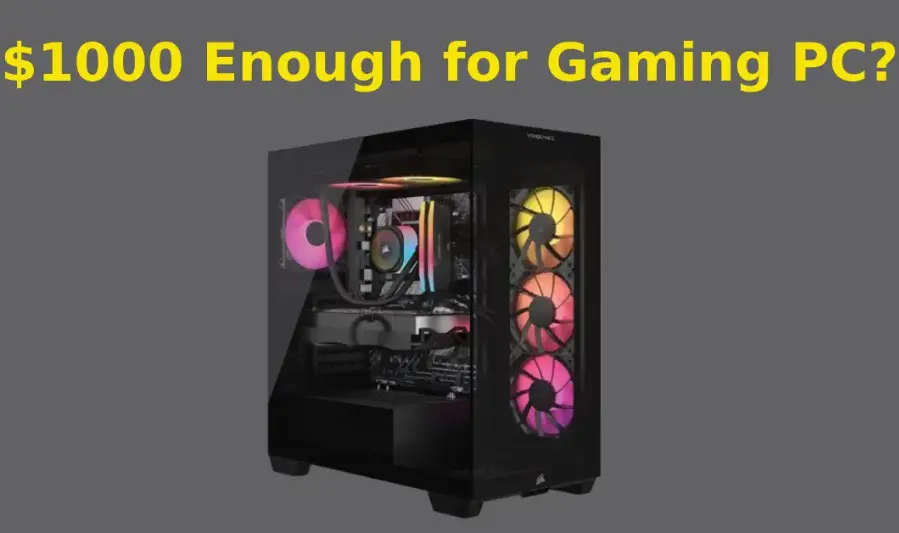
A $1000 budget in 2025 can get you a surprisingly capable gaming desktop that balances performance, build quality, and future upgrade potential. While it won’t be top-of-the-line, you can expect reliable performance in most modern games.
Performance Expectations
- 1080p Gaming: Smooth gameplay at high or ultra settings in most modern AAA titles.
- 1440p Gaming: Playable on medium to high settings, especially in less demanding or well-optimized games.
- Esports Titles: High frame rates in games like Fortnite, Valorant, Apex Legends, and CS2.
Key Components to Look For
- CPU:
Look for at least an Intel Core i5 (14th Gen) or AMD Ryzen 5 7000 series. These processors deliver strong gaming and multitasking performance without bottlenecks. - GPU:
A NVIDIA RTX 4060 or AMD Radeon RX 7600 is the sweet spot in this price range, offering solid 1080p/1440p gaming and support for features like ray tracing and DLSS/FSR. - RAM:
16GB DDR5 RAM is the new standard and ensures smooth performance across gaming, streaming, and light productivity. - Storage:
A 512GB NVMe SSD (or larger) ensures fast boot times and game loading. Some systems may offer an additional HDD for extra storage. - Cooling & Power Supply:
Look for systems with dedicated cooling solutions (not just a basic fan) and a reliable 80+ Bronze or better PSU, ideally around 500–600W to support future upgrades.
Prebuilt vs. Custom-Built Overview
- Prebuilt PCs:
Great for plug-and-play convenience. They often come with warranties, Windows pre-installed, and customer support. However, some may cut corners on power supplies, motherboards, or cooling. - Custom-Built PCs:
Allow for better control over individual components and often offer better value. Building your own or working with a boutique builder can lead to better long-term upgrade paths and performance.
1. SkyTech Blaze 3.0
- Specs: Typically equipped with an Intel Core i5-12400F, NVIDIA RTX 4060, 16GB DDR4 RAM, and a 1TB NVMe SSD
- Performance: Offers smooth 1080p and light 1440p gaming; users report the setup is easy and runs well
- Pros:
- Strong performance for the price
- Easy to set up
- Cons:
- Component reliability concerns (e.g., unstable RAM in some cases)
- Reports of crashes and system instability
- Ideal For: Budget-conscious gamers who want a ready-to-play system and are confident troubleshooting or upgrading parts if needed.
2. CyberPowerPC Gamer Xtreme (Entry-Level VR Gaming)
- Specs: Configurable with an Intel Core i5-14400F, RTX 4060 (8GB), 16GB or more DDR5, 1TB NVMe SSD, Wi-Fi 6, Bluetooth 5.3, RGB liquid cooling, and an 850W PSU
- Performance & Upgrade Potential: Well-built, VR-ready system with future-proof components and easy access for upgrades. The included liquid cooling keeps temperatures in check
- Pros:
- Robust core specs in this price range
- Excellent thermal performance
- Ample upgrade room
- Cons:
- Slightly over the $1000 mark in some configurations
- RGB-focused design may not appeal to minimalists
- Ideal For: Entry-level gamers looking to dive into VR or future upgrades with confidence.
3. HP Victus 15L Gaming Desktop (Compact & Practical)
- Specs: Configurable with Intel Core i7-12700 or i7-13700, up to RTX 3060 or RTX 4060 (8GB), 16GB RAM, 512GB SSD (plus optional HDD), Wi-Fi 6, and Bluetooth 5.3
- Performance: Strong 1080p gaming; handles most modern titles on medium to high settings. Compact design ideal for small spaces
- Pros:
- Space-saving chassis with many accessible ports
- Good 1080p performance
- Affordable pricing in its class
- Cons:
- Overheating and loud fan noise reported due to cramped design
- Build materials and chassis quality feel budget-oriented
- Ideal For: Gamers with limited desk space who want a compact desktop with reliable 1080p performance—but who don’t mind occasionally adjusting fan settings or using third-party cooling.
4. iBUYPOWER SlateMesh Gaming PC (Great Value)
- Specs: Often features Intel Core i7-14700F, RTX 4060 Ti or RTX 4070 Super, up to 32GB DDR5 RAM, and large SSD storage options
- Performance: Excellent value with high-end GPU performance and strong benchmarks even at 1440p or 4K (on medium settings) offers easy access for upgrades and decent cooling through mesh design
- Pros:
- Outstanding performance per dollar
- Easy to upgrade
- Great thermal design
- Cons:
- Some units use slower SSDs—worth upgrading yourself
- Prominent RGB design may not suit minimalist tastes
- Ideal For: Gamers seeking the best possible specs in the under-$1,000 bracket, especially for 1080p/1440p gaming with room to expand later.
5. Build-Your-Own Recommendation (Custom PC)
- Suggested Components Under $1000:
- CPU: AMD Ryzen 5 5600X or Intel Core i5‑12400F
- GPU: RTX 4060 or AMD RX 7600 XT
- Motherboard: B650 (for AMD) or B660 (for Intel) with DDR5 support
- RAM: 16GB DDR5 (2×8GB)
- Storage: 1TB NVMe SSD
- PSU: 650W, 80+ Bronze
- Case: Airflow-friendly mid tower
- Why Building Saves You Money:
- Avoids markups and pre-built cost premiums
- Custom fit and part selection based on your needs
- Better upgrade paths and control over cooling solutions
- Ideal For: Gamers comfortable with component selection and assembly—or those who want to learn—seeking maximum value and flexibility.
Summary Table
| PC | Highlights | Best For |
|---|---|---|
| SkyTech Blaze 3.0 | RTX 4060, budget price | DIY tinkerers on a tight budget |
| CyberPowerPC Gamer Xtreme | Liquid cooling, robust specs | VR and upgrade-ready gamers |
| HP Victus 15L | Compact, good ports | Space-conscious casual gamers |
| iBUYPOWER SlateMesh | High-end GPU, value-packed | Performance seekers in mid-range |
| Custom Build | Tailored, cost-effective, future-proof | DIY enthusiasts or maximal value seekers |
Useful Resources for 5G Routers & Modems (2025)

- Reviews of the best 5G routers available in Pakistan, covering features, specs, and buying advice.
- Comparisons of top dual SIM 5G routers that offer enhanced connectivity and flexibility.
- Guides listing the best 5G modems for home, gaming, and IoT use cases worldwide.
- Insights into the latest 5G modem and router technologies, including next-gen chips and improvements.
- Community and expert recommendations from networking professionals for reliable and feature-rich 5G routers.
Tips to Maximize Value When Buying a Gaming PC
- Shop During Sales Events: Take advantage of major sales like Black Friday, Prime Day, or back-to-school promotions to score significant discounts.
- Consider Refurbished or Open-Box Deals: Certified refurbished or open-box PCs often come at lower prices with warranties, offering great value without compromising quality.
- Focus on Core Components: Prioritize investing in a powerful GPU and CPU first, as these directly impact gaming performance more than extras like RGB lighting or flashy cases.
- Hold Off on Peripherals Initially: Don’t overspend on gaming keyboards, mice, or monitors right away—start with essentials and upgrade peripherals gradually as needed.
Additional Accessories to Pair with Your Gaming PC
- Mouse Pad: A large, smooth mouse pad provides better tracking and comfort for intense gaming sessions.
- Webcam: Great for streamers or video calls with teammates, a good webcam adds clarity and professionalism.
- External Storage: Extra SSD or HDD space helps store games, backups, and media without slowing down your main drive.
- Cable Management Tools: Keep your setup neat and organized with cable clips, sleeves, or ties—improves airflow and aesthetics.
- Controller/Gamepad: Some games play better with a controller, so consider adding an Xbox or PlayStation controller for versatility.
- RGB Lighting: Optional but popular for creating an immersive and personalized gaming atmosphere.
- Desk and Chair: Comfortable, ergonomic furniture can make a big difference during long gaming or work sessions.
Accessories to Pair with Your Gaming PC
- Budget Gaming Monitor: Look for a 1080p resolution with at least a 144Hz refresh rate for smooth gameplay and responsiveness.
- Mechanical Keyboard and Gaming Mouse: Invest in a reliable mechanical keyboard and a precise gaming mouse to improve control and comfort during long sessions.
- Gaming Headset: Choose a headset with clear audio and a good microphone for immersive sound and effective voice communication.
- UPS or Surge Protector: Protect your PC from power surges and outages by using an uninterruptible power supply (UPS) or a quality surge protector.
Common Mistakes to Avoid
- Choosing a PC with a Weak GPU or Only 8GB RAM: These components can severely limit gaming performance and future-proofing.
- Ignoring Upgrade Potential: Buying a system that’s hard to upgrade later can lead to early obsolescence and higher costs down the line.
- Overpaying for Brand Name or RGB Lighting: Don’t spend extra on flashy features or brand prestige if the core hardware doesn’t deliver solid performance.
- Neglecting Cooling and Power Supply Quality: Poor cooling leads to overheating and throttling, while a weak or cheap power supply risks system instability and damage.
you may also like to read these posts:
Best Desktop Computers 2025 – Top 5 Picks Under $580
Top Budget Laptops for Students 2025 – Best Picks Under Rs. 58,000
Best Gaming PCs Under $1000 in 2025 for Smooth
Best Business Computers in 2025: Performance & Reliability
More Common Mistakes to Avoid
- Not Checking Compatibility: Ensure CPU, motherboard, RAM, and GPU work well together to avoid bottlenecks or installation issues.
- Skipping Research on Reviews and Benchmarks: Relying solely on specs without seeing real-world performance can lead to disappointment.
- Choosing Storage Without Enough Speed or Capacity: Avoid PCs with only slow HDDs or tiny SSDs—fast NVMe SSDs greatly improve load times.
- Overlooking Warranty and Support: Buying from brands or sellers with poor customer service can cause headaches if issues arise.
- Underestimating Power Requirements: Make sure the power supply wattage matches your components, especially if you plan to upgrade GPUs or add peripherals.
- Ignoring Noise Levels: Cheap or poorly designed PCs may run loud under load, which can affect your gaming experience.
- Buying Last Minute Without Price Comparison: Not shopping around can lead to missing better deals or more suitable configurations.
faqs:
Is $1000 enough to build or buy a good gaming PC in 2025?
Yes, $1000 can get you a solid mid-range gaming PC capable of running most modern games at 1080p high settings, and even some at 1440p with decent frame rates.
Should I build my own gaming PC or buy a prebuilt under $1000?
Building your own PC can offer better value and customization, but prebuilts save time and come with warranties. Both options have their pros and cons depending on your comfort with assembly and budget.
What games can I expect to play smoothly on a $1000 gaming PC?
Popular games like Fortnite, Valorant, Call of Duty: Warzone, and GTA V will run smoothly at 1080p. More demanding titles like Cyberpunk 2077 may require medium settings for a good experience.
Can I upgrade a $1000 gaming PC later?
Most budget gaming PCs have upgrade options such as adding more RAM, upgrading storage, or swapping out the GPU, allowing your system to improve over time.
Are refurbished gaming PCs a good option under $1000?
Yes, refurbished gaming PCs can offer great value and performance if bought from reputable sellers with warranties. Just make sure to check the return policy and condition of the Pc
Conclusion:
Buying a gaming PC under $1000 in 2025 is not only possible—it’s a smart investment for gamers who want solid 1080p or light 1440p performance without overspending. With modern mid-range GPUs like the RTX 4060 or RX 7600, 16GB of RAM, and fast SSDs, these machines offer smooth gameplay across most popular titles.
By understanding what to expect, avoiding common mistakes, and focusing on the right components, you can build or buy a gaming PC that delivers great value, performance, and upgrade potential for years to come. Whether you choose a prebuilt system or go the custom route, the key is to prioritize performance where it matters most.