
Introduction
As hybrid work and gaming lifestyles become the norm, the demand for high-performance desktops is surging. In 2025, the desktop landscape is evolving faster than ever, with major leaps in CPU and GPU technology, deeper AI integration, and systems built to handle both professional productivity and immersive gaming.
This blog dives into what 2025’s desktop upgrades mean for you—whether you’re optimizing your workflow, building on a budget, or chasing the ultimate gaming experience. We’ll break down key performance improvements, explore productivity boosts, and guide you through options that balance cost and capability.
Top Desktop Picks of 2025
A. Best All‑in‑One Desktop
- Apple iMac (M4, 24‑inch)
Still reigning supreme in the AIO space, the 2024 iMac with M4 chip delivers stunning 4.5K Retina visuals, seamless performance, and sleek design—perfect for creatives and minimalist workspaces - Best Windows Alternative: Lenovo Yoga 9i AiO Gen 10
This 32″ AIO features the new Intel Core Ultra 7 258V, 32 GB RAM, RTX 4050 GPU, and Copilot+ AI integration—ideal for productivity, creative workflows, and even light gaming - Another Solid AIO Option: HP OmniStudio X 31.5″
With a 4K display, up to Intel Core Ultra 7 155H, optional RTX 4050 GPU, and strong port selection, this Windows AIO suits creators needing a powerful, all‑in‑one solution
B. Best Performance Desktop for Professionals
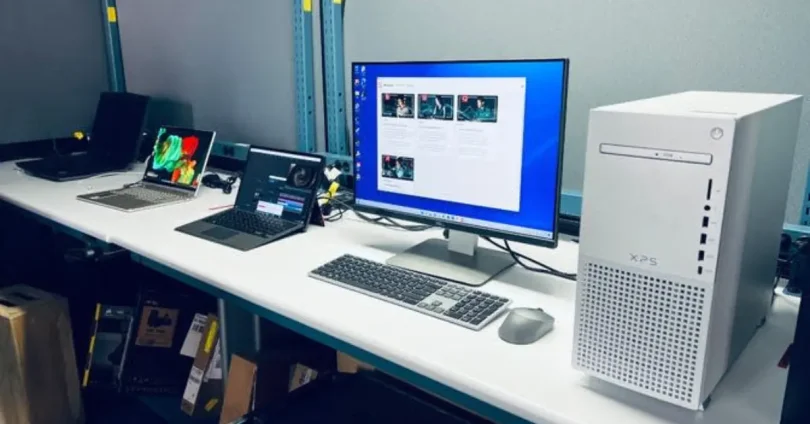
- Dell XPS Tower Plus Desktop
A high-performance pro tower with 32 GB RAM and Intel Core Ultra CPUs, tailored for demanding workloads like CAD, video editing, and development. A top pick for power users - Lenovo ThinkStation P2 or P8 (Workstation‑class)
- P2 Gen 1: Supports up to Intel Core i9-14900K, up to 128 GB DDR5, and RTX-class graphics—excellent for heavy multitaski
- P8 Gen 1: Packed with Ryzen Threadripper PRO (up to 96 cores!), 1 TB RAM, and multi-GPU support—ultimate choice for ultra-heavy workloads and professional rendering
C. Best Budget Desktop (Under ~$580)
While specific 2025 ‘under $580’ picks are scarce in top-tier reviews, the Lenovo IdeaCentre Mini (April 2025) serves well for entry-level needs—offering Core i7‑13700H, up to 16 GB RAM, and SSD storage in a compact form
For even more affordable everyday computing, you might also consider Dell OptiPlex Micro Plus 7020, which TechRadar labels as a strong budget business PC
D. Best Gaming Desktop
- Lenovo Legion Tower 7i Gen 8
Delivers a powerful balance with i9‑14900KF, RTX 4070 Ti Super, outstanding 1440p/4K performance, excellent cooling, and strong value — highly praised across reviews - HP Omen Series (35L / 45L)
- Omen 35L (2025 Refresh)—Ryzen 7 7800X3D or Core i7‑14700K paired with RTX 4070 Super. Excellent 1440p benchmarks with quiet, upgrade-friendly chassis
- Omen 45L—Supports high-end CPUs and GPUs (like RTX 4090), tool‑less access, and robust cooling—great for serious gamers
- Corsair One i500
Combines i9‑14900K, RTX 4090, liquid cooling, and premium aesthetics in a compact build. A high-end option for users wanting power in small format - Alienware Aurora R16
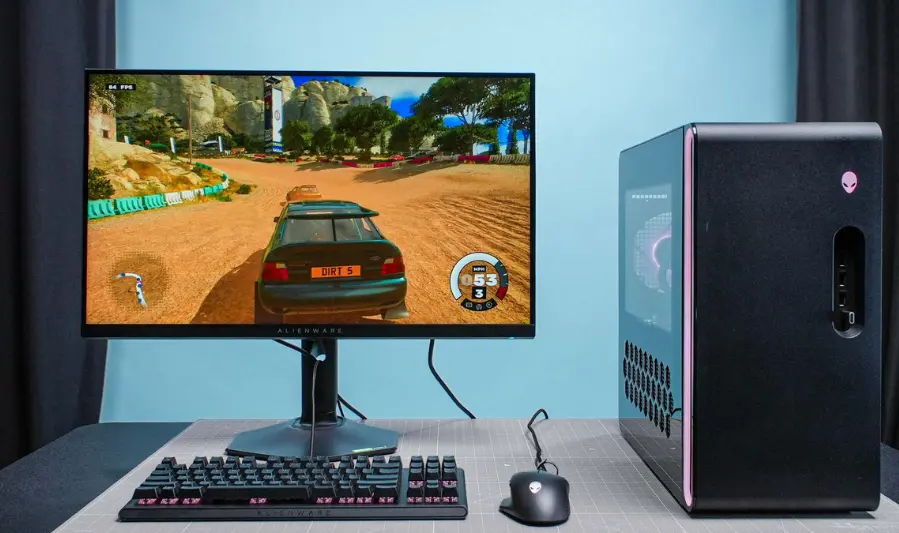
A sleek, quiet powerhouse for 1440p and 4K gaming—well-rounded and stylish—highly ranked by Tom’s Guide
E. Best Value-for-Money Desktop
- HP Envy AIO (34″)
Noted by TechRadar as a top creative AIO, the Envy 34 offers a stunning 5K display, expandable internals, and good value for creatives balancing price and capability - HP OmniStudio X 31.5″
Again shining as a strong value choice in the AIO space, with powerful specs and AI integration for productivity and creativity - Dell XPS Tower Plus
Combines professional performance with expandability at a moderate cost—ideal for users looking for future-proof desktops
Key Features to Look For in 2025 Desktops

1. Latest Processors: Intel 14th Gen, AMD Ryzen 7000, Apple M3
- Intel Core Ultra (Arrow Lake‑S): Launched in late 2024, these 14th-gen processors deliver up to 24 cores, integrated AI accelerators (NPU), DDR5‑only support, and cutting-edge USB4/Thunderbolt 4—but early gaming performance had some setbacks, with fixes rolling out into early 2025.
- AMD Ryzen 7000 & Ryzen AI Chips: AMD continues strengthening its position with high-core-count Ryzen 7000 CPUs and specialized Ryzen AI variants that focus on native AI workloads.
- Apple M3 (expected): Building on the M2’s performance, Apple’s upcoming M3 family—if released in 2025—should continue to deliver strong CPU+GPU integration and significant power efficiency gains, especially for creative and productivity users.
2. DDR5 RAM vs DDR4
- DDR5 Advantages:
- Up to 2× the bandwidth of DDR4, faster clock speeds (from 4,800 MT/s to 8,000 MT/s or beyond), higher module capacities (up to 128 GB per stick in mainstream, even 512 GB in specialized cases), and on-die ECC for improved reliability.
- Better power efficiency (1.1 V vs 1.2 V), thanks to PMIC integration on each DIMM.
- DDR4 Advantages:
- Lower latencies, lower cost per gigabyte, and broader compatibility—still a viable option for budget builds or upgrades to existing systems.
- Practical Impact in 2025:
- Gaming sees meaningful framerate improvements with DDR5—13% higher average FPS at 1080p, with gains up to 24% in CPU‑heavy titles.
- For new builds, DDR5 is strongly recommended for future-proofing and performance. For upgrading existing DDR4 systems, the benefits may not justify the cost.
3. SSD vs Hybrid Storage
- SSDs (Solid-State Drives):
- Offer dramatically faster speeds (booting, application launch, file loads), lower latency, greater durability (no moving parts), and improved energy efficiency.
- Hybrid Storage (SSHD or dual-drive):
- Combines small SSD with high-capacity HDD, ideal for users wanting some performance boost while keeping costs low. The SSD acts as a smart cache for frequently accessed data.
- In 2025:
- SSDs are increasingly affordable and strongly recommended as primary system drives. Hybrids may still suit users needing large capacity on a budget but are less ideal for high-performance use cases.
4. Importance of a Dedicated GPU
- For everyday tasks (web, office work), integrated GPUs (like Intel’s Xe or Apple’s integrated graphics) are sufficient
- But a dedicated GPU is critical if you’re doing:
- Heavy gaming, 3D rendering, video editing, CAD, or AI workflows—these benefit from the parallel processing and VRAM that discrete GPUs bring.
- Looking ahead, dedicated NPUs (Neural Processing Units) may arrive—AMD is exploring standalone AI accelerators, offering major AI performance (400 TOPS) and potentially easing GPU demand.
5. Modern Connectivity: Wi‑Fi 6E, USB‑C, Bluetooth 5.3
- Wi‑Fi 6E provides faster speeds, lower latency, and access to less congested 6 GHz bands—ideal for high-bandwidth tasks like cloud workflows, streaming, or large file transfers.
- USB‑C (USB4/Thunderbolt) offers fast charging, high-speed data transfer, and single-cable versatility for monitors, docks, and peripherals—supported by modern platforms like Arrow Lake with Thunderbolt 4/USB4
- Bluetooth 5.3 improves energy efficiency, connection stability, and device compatibility (especially useful for peripherals like wireless mice, headphones).
you may also like to read these posts:
Best Desktop Computers 2025 – Top 5 Picks Under $580
Top Budget Laptops for Students 2025 – Best Picks Under Rs. 58,000
Best Gaming PCs Under $1000 in 2025 for Smooth
Best Business Computers in 2025: Performance & Reliability
Summary Table
| Key Feature | Look For in 2025 |
|---|---|
| CPU | Intel Arrow Lake (Core Ultra), AMD Ryzen 7000/AI, Apple M3 |
| Memory | DDR5 (faster, future-proof) unless upgrading DDR4 system |
| Storage | SSD (preferably NVMe); hybrid if capacity/cost is priority |
| Graphics | Integrated GPU OK for basics; dedicated GPU (or future NPU) for serious workloads |
| Connectivity | Wi‑Fi 6E, USB‑C (USB4/Thunderbolt), Bluetooth 5.3 |
Mac vs Windows vs Linux Desktops (2025 Edition)
Mac (macOS – Apple Silicon)
Who should choose it:
- Creative professionals (designers, video editors, musicians)
- Minimalists who want clean, plug-and-play systems
- Those already in the Apple ecosystem (iPhone, iPad, AirPods, etc.)
Pros:
- Optimized hardware & software: Apple Silicon (M1–M3) chips offer top-tier performance with excellent efficiency.
- Best-in-class creative tools: Final Cut Pro, Logic Pro, Pixelmator, etc.
- Long OS support (often 7+ years of updates)
- Seamless integration with iCloud, iPhone, iPad, AirDrop, etc.
Cons:
- Higher price point
- Limited hardware customization or upgradability
- Less gaming support (though improving slowly with macOS Game Porting Toolkit 2 in 2025)
- Fewer enterprise or niche software tools compared to Windows
Windows (Windows 11 / Windows 12 in preview)
Who should choose it:
- General users, students, and professionals
- Gamers
- Enterprise/office users
- Developers needing Microsoft platforms or broad compatibility
Pros:
- Widest hardware support: From budget builds to gaming monsters
- Top-tier software compatibility: Runs most mainstream apps, including niche business software
- Gaming powerhouse: DirectX 12, wide GPU support, Game Pass, Steam, etc.
- AI features (with Copilot+ PC support in 2025): On-device AI using new NPUs
Cons:
- More frequent updates, sometimes buggy
- Security concerns (though Windows Defender is now quite robust)
- Can feel bloated or slower on older machines
Linux (Ubuntu, Fedora, Arch, Pop!_OS, etc.)
Who should choose it:
- Developers, especially in backend/web/sysadmin roles
- Tinkerers & tech-savvy users
- Privacy-focused users
- Those wanting to revive old hardware or use lightweight distros
Pros:
- Free and open source
- Highly customizable and lightweight
- Great for programming, scripting, server work
- No forced updates or telemetry
- Wide community support
Cons:
- Steep learning curve for newcomers
- Inconsistent app support (many commercial apps like Adobe Creative Cloud or Microsoft Office don’t run natively)
- Gaming support improving via Proton and Steam Deck ecosystem, but still not as plug-and-play as Windows
- Hardware drivers (especially for Wi-Fi, GPUs, etc.) can be hit-or-miss on new systems
Ecosystem Compatibility Overview
| Platform | Works Best With | Cross-Device Features |
|---|---|---|
| Mac | iPhone, iPad, Apple Watch | Handoff, AirDrop, iCloud, Universal Clipboard |
| Windows | Android (via Phone Link), Microsoft 365 | Phone sync, cloud clipboard, OneDrive, Copilot |
| Linux | Open platforms, Android (via KDE Connect) | Depends on setup—KDE/Gnome tools allow sync, but less seamless |
Software & Update Support
| Platform | Software Availability | Update Policy |
|---|---|---|
| Mac | Creative & pro apps, limited gaming | 6–8 years of OS updates, seamless upgrades |
| Windows | All major apps & games | Frequent updates (monthly & major builds), long-term enterprise support |
| Linux | Open-source tools, some emulated Windows apps | Depends on distro (rolling release vs LTS options) |
Quick Recommendation Summary
| Use Case | Best Platform |
|---|---|
| Creative work (video, design) | Mac |
| Gaming | Windows |
| General productivity | Windows |
| Programming / dev | Linux or Windows (WSL) |
| Budget DIY builds | Windows or Linux |
| Privacy & control | Linux |
| Apple device user | Mac |
Future-Proofing Your Desktop Purchase
Choosing a desktop in 2025 isn’t just about what works today—it’s about making sure your system can evolve with your needs over the next 3–5 years. Here’s what to look for to future-proof your investment:
1. Upgrade Options: RAM, GPU, Storage
Not all desktops are created equal when it comes to upgradability. Some (like Apple’s iMac or ultra-compact PCs) are locked down, while others offer room to grow.
What to prioritize:
- RAM:
- Choose a system with DDR5 slots, preferably with at least one slot free for future upgrades.
- Avoid systems with soldered RAM (common in All-in-Ones or compact PCs).
- GPU:
- A desktop with a PCIe x16 slot allows you to replace or upgrade the GPU later.
- Check PSU wattage and case clearance to ensure support for newer, larger GPUs.
- Storage:
- Look for systems with M.2 NVMe SSD slots (for speed) and extra SATA bays (for additional drives).
- A dual-drive setup (SSD + HDD) gives flexibility for both speed and storage needs.
Tip: Even if you don’t upgrade today, having the option to upgrade keeps your system relevant longer.
2. Warranty and Brand Support
Good hardware means nothing without solid support.
What to look for:
- Standard warranty:
- Aim for at least 1 year, but 2–3 years is ideal—especially for higher-end desktops.
- Some brands (e.g., Dell, HP) offer on-site repair or pickup services for premium models.
- Extended warranty/accidental coverage:
- Consider for high-cost machines or mission-critical setups.
- Brand reputation:
- Stick with established manufacturers known for long-term driver updates, spare parts availability, and support—e.g., Dell, HP, Lenovo, Apple.
Bonus: Look into local service availability or authorized repair centers in your region for quicker turnaround times.
3. Energy Efficiency and Cooling Systems
Efficient desktops not only save power—they also last longer and run more quietly.
Energy Efficiency:
- Choose systems with 80 PLUS certified power supplies (Bronze, Gold, or Platinum ratings).
- Look for modern CPUs and GPUs with lower TDPs (thermal design power) and AI-powered energy optimization, especially in newer Intel and AMD chips.
- Apple Silicon Macs are market leaders in performance-per-watt, ideal for energy-conscious users.
Cooling Systems:
- Better cooling = better longevity and performance.
- Air Cooling: Sufficient for most users. Look for large heatsinks, extra case fans, and smart airflow.
- Liquid Cooling: Recommended for high-performance desktops (e.g., gaming or workstation PCs) to manage heat more effectively.
- Avoid small cases with limited airflow or no upgrade space—they tend to overheat and throttle performance over time.
Summary: Key Future-Proofing Features
| Feature | What to Look For |
|---|---|
| RAM | DDR5, at least one free slot |
| GPU | PCIe x16 slot, space & PSU headroom |
| Storage | M.2 NVMe + spare SATA ports |
| Warranty | 2–3 years ideal, brand with good support |
| Cooling | Efficient air or liquid cooling |
| Energy Use | 80 PLUS PSU, modern chips, low TDP |
Best Desktop Brands in 2025
When choosing a desktop, the brand often matters just as much as the specs. Here’s a rundown of the top desktop manufacturers and custom builders you can trust in 2025:
Apple
- Why choose Apple?
- Industry-leading Apple Silicon (M2, M3) chips deliver powerful, efficient performance.
- Seamless macOS ecosystem integration with iPhone, iPad, and more.
- Sleek, all-in-one designs like the iMac with minimal footprint.
- Best for: Creatives, professionals, and users invested in the Apple ecosystem.
- Notable models: iMac M3, Mac Studio
Dell
- Why choose Dell?
- Wide range of desktops from budget Inspiron models to high-end XPS and Alienware gaming rigs.
- Known for excellent build quality and strong warranty/support services.
- Business-friendly options with solid security features.
- Best for: Professionals, gamers, enterprise users looking for reliability and support.
- Notable models: Dell XPS Tower, Alienware Aurora R-Series
HP
- Why choose HP?
- Broad portfolio covering budget to premium desktops (Pavilion, Envy, Omen).
- Good value-for-money and attractive designs.
- Strong gaming lineup under the Omen brand.
- Best for: General users, gamers, and those seeking balanced power at reasonable prices.
- Notable models: HP Envy Desktop, HP Omen 45L
Lenovo
- Why choose Lenovo?
- Trusted for business-class reliability (ThinkCentre series) and gaming (Legion series).
- Strong global presence with wide availability.
- Focus on security and manageability for corporate environments.
- Best for: Corporate offices, gamers, and budget-conscious users needing dependable machines.
- Notable models: Lenovo Legion Tower 7i, ThinkCentre M90a
Acer
- Why choose Acer?
- Competitive pricing, especially in the budget and mid-range segments.
- Reliable, no-frills desktops for everyday use and light gaming.
- Decent gaming lineup with Predator series.
- Best for: Students, home users, budget buyers.
- Notable models: Acer Aspire TC, Predator Orion 3000
Custom PC Builders (NZXT, Origin PC, iBUYPOWER, etc.)
- Why choose custom builders?
- Tailored configurations optimized for gaming, content creation, or workstation needs.
- Premium components, liquid cooling, and personalized aesthetics (RGB, custom cases).
- Expert assembly and warranties that cover all parts.
- Best for: Enthusiasts who want high-performance machines without building themselves.
- Popular builders: NZXT, Origin PC, iBUYPOWER, Falcon Northwest
Quick Brand Comparison Table
| Brand | Strengths | Best For | Price Range |
|---|---|---|---|
| Apple | Ecosystem, design, performance | Creatives, professionals | Premium |
| Dell | Reliability, support, variety | Professionals, gamers | Mid to premium |
| HP | Value, design, gaming | General users, gamers | Budget to premium |
| Lenovo | Business, gaming, reliability | Office, gamers, budget | Budget to mid-range |
| Acer | Affordable, decent performance | Students, home users | Budget to mid-range |
| Custom Builders | Customization, performance | Enthusiasts, gamers | Mid to premium |
Who Should Buy a Desktop in 2025?
Despite the rise of laptops and mobile devices, desktops remain a powerful choice for many users. Here’s who can benefit most from investing in a desktop this year:
Remote Workers
- Desktops offer superior multitasking power compared to most laptops, with better cooling and ergonomics for long work hours.
- Ideal for those who use multiple monitors, run resource-heavy apps (video calls, data analysis), or need reliable, consistent performance.
- Often more cost-effective than equally powerful laptops.
Creative Professionals
- Need high-performance CPUs and GPUs for video editing, 3D rendering, graphic design, and audio production.
- Benefit from expandability (more RAM, larger storage, powerful GPUs) as project demands grow.
- Prefer desktops for color-accurate displays, larger screens, and professional-grade peripherals.
Gamers
- Desktops provide the best value for raw power, supporting the latest high-end GPUs (RTX 4000 series and beyond).
- Easier to upgrade components for next-gen titles and streaming setups.
- Better cooling solutions reduce throttling and improve performance during extended sessions.
Students
- Budget-friendly desktops offer a stable platform for study, research, and basic multimedia use.
- Can be paired with affordable monitors and peripherals for a dedicated home study setup.
- Great for students who need powerful specs for STEM courses, coding, or digital arts but can’t invest in expensive laptops.
Businesses Looking for Long-Term Investments
- Desktops typically have longer lifespans and are easier to maintain and upgrade than laptops.
- Offer better security options and easier asset management in office environments.
- Often more cost-effective for bulk deployment, with options for business-class support and warranties.
Summary Table
| User Type | Why Choose a Desktop? |
|---|---|
| Remote Workers | Performance, ergonomics, multi-monitor setup |
| Creative Professionals | Power, expandability, display quality |
| Gamers | Upgradeability, best GPU support |
| Students | Affordability, stable study setup |
| Businesses | Longevity, security, cost-efficiency |
Faqs:
Are desktops still relevant with powerful laptops available?
Absolutely! Desktops generally offer better performance per dollar, superior cooling, easier upgrades, and more ergonomic setups—making them ideal for heavy workloads, gaming, and long-term use.
What is the biggest upgrade difference between 2024 and 2025 desktops?
The biggest leaps in 2025 are the integration of next-gen CPUs (Intel 14th Gen, AMD Ryzen 7000 series, Apple M3) alongside AI accelerators and faster DDR5 RAM, resulting in faster, more efficient, and smarter desktops.
Is DDR5 RAM worth the extra cost compared to DDR4?
If you’re building or buying a new desktop in 2025, DDR5 is worth it for future-proofing, offering higher bandwidth and better power efficiency. However, DDR4 is still a solid choice for budget builds.
Can I use a Windows or Linux desktop alongside my Mac devices?
Yes! Cross-platform tools, cloud services, and apps like Microsoft Office, Adobe Creative Cloud, and many others support macOS, Windows, and Linux. However, macOS offers the tightest integration within the Apple ecosystem.
What’s the best way to future-proof my desktop purchase?
Look for desktops with upgrade-friendly features: DDR5 RAM slots, PCIe slots for GPUs, multiple storage options, and efficient cooling. Also, consider reputable brands with good warranty and support policies.
Conclusion:
As 2025 ushers in powerful advancements in CPUs, GPUs, and AI integration, desktops remain a top choice for users who demand performance, reliability, and flexibility. Whether you’re a remote worker, gamer, creative professional, student, or business, there’s a desktop tailored to your needs—ranging from sleek all-in-ones to customizable high-performance towers.
By focusing on future-proof features like DDR5 memory, upgradeable components, and robust connectivity, you can ensure your desktop investment keeps pace with evolving technology. And with trusted brands and custom builders offering diverse options across budgets, there’s never been a better time to choose the right desktop for your 2025 setup.