
Introduction
In today’s education landscape, affordable laptops have become essential tools for students. The rise of remote learning and hybrid classes has significantly increased the demand for reliable yet budget-friendly devices. In 2025, a “budget” laptop typically falls under the $600 mark (around Rs. 58,000), offering a balance between price and performance without compromising essential features. This blog aims to guide students and parents in finding the best budget laptops that meet academic needs while staying within a reasonable price range.
Why Choosing the Right Laptop Matters for Students
A reliable laptop is crucial for students to effectively manage note-taking, complete assignments, and conduct research. Performance directly impacts productivity — slow or lagging devices can disrupt focus and learning progress. Additionally, portability and long battery life are vital since students often move between classes, libraries, and home. Finding a laptop that balances durability with affordability ensures students get a device that lasts throughout their academic journey without breaking the budget.
1. Acer Aspire 5
Specs:
- Processor: Intel Core i5-1335U
- RAM: 8GB
- Storage: 512GB SSD
- Display: 15.6″ Full HD (1920×1080)
- Battery Life: Up to 10 hours
- Ports: USB-C, HDMI, Ethernet, Wi-Fi 6
- Operating System: Windows 11
Price: Approximately $650 USD
Pros:
- Strong performance for everyday tasks
- Upgradeable RAM and storage
- Long battery life
- Backlit keyboard on many models
- Modern port selection
Cons:
- Plastic build feels basic
- Mediocre speakers
- Limited color accuracy on display
Ideal For:
Students needing a reliable laptop for note-taking, research, and multimedia consumption.
2. Lenovo IdeaPad 3
Specs:
- Processor: AMD Ryzen 5 5625U
- RAM: 8GB
- Storage: 512GB SSD
- Display: 15.6″ Full HD
- Battery Life: Up to 7 hours
- Operating System: Windows 11
Price: Approximately $700 USD
Pros:
- Lightweight design
- Good performance for multitasking
- Decent battery life
- Affordable pricing
Cons:
- Basic integrated graphics
- Average build quality
- Display brightness may be insufficient for outdoor use
Ideal For:
Students seeking a portable laptop for everyday tasks and light multimedia use.
3. HP Pavilion x360
Specs:
- Processor: Intel Core i5-1335U
- RAM: 8GB
- Storage: 512GB SSD
- Display: 14″ Full HD Touchscreen
- Battery Life: Up to 8 hours
- Operating System: Windows 11
Price: Approximately $750 USD
Pros:
- Convertible 2-in-1 design
- Responsive touchscreen
- Good performance for daily tasks
- Stylish design
Cons:
- Slightly heavier than traditional laptops
- Battery life could be better
- Speakers may lack depth
Ideal For:
Students who prefer a versatile laptop for note-taking, presentations, and casual multimedia consumption.
4. ASUS VivoBook 15
Specs:
- Processor: Intel Core i5-1335U
- RAM: 8GB
- Storage: 512GB SSD
- Display: 15.6″ Full HD
- Battery Life: Up to 9 hours
- Operating System: Windows 11
Price: Approximately $700 USD
Pros:
- Lightweight design
- Good performance for everyday tasks
- Long battery life
- Affordable pricing
Cons:
- Plastic build feels basic
- Display brightness may be insufficient for outdoor use
- Speakers may lack depth
Ideal For:
Students seeking a reliable laptop for note-taking, research, and multimedia consumption.
5. Dell Inspiron 15 3000
Specs:
- Processor: Intel Core i5-1335U
- RAM: 8GB
- Storage: 512GB SSD
- Display: 15.6″ Full HD
- Battery Life: Up to 7 hours
- Operating System: Windows 11
Price: Approximately $650 USD
Pros:
- Comfortable keyboard for typing
- Responsive trackpad
- Good performance for everyday tasks
- Affordable pricing
Cons:
- No backlit keyboard
- Limited display brightness
- Basic webcam quality
Ideal For:
Students seeking a budget-friendly laptop for basic tasks and typing-intensive work.
you may also like to read these posts:
Best Desktop Computers 2025 – Top 5 Picks Under $580
Top Budget Laptops for Students 2025 – Best Picks Under Rs. 58,000
Best Gaming PCs Under $1000 in 2025 for Smooth
Best Business Computers in 2025: Performance & Reliability
Processor: Intel Core i3/i5 vs. AMD Ryzen 3/5
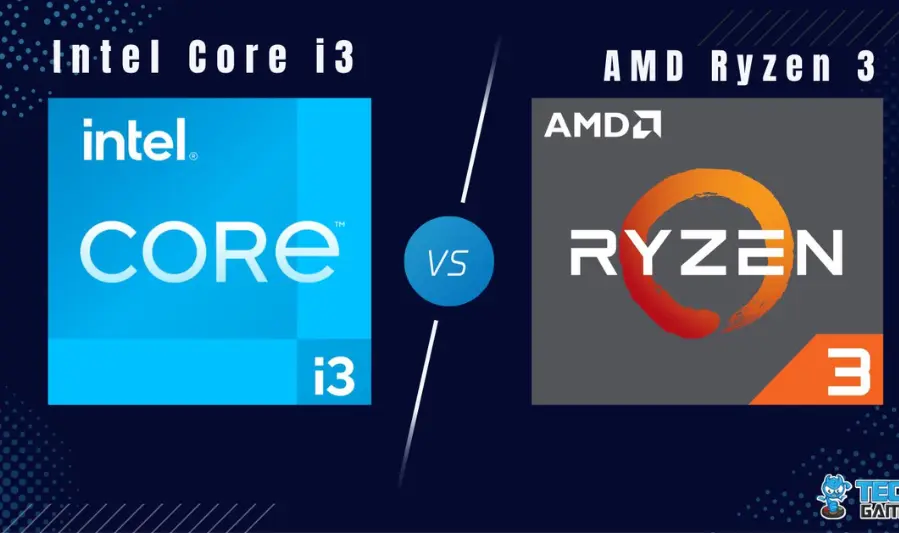
- Intel Core i3/i5: Ideal for general tasks like web browsing, document editing, and video conferencing. The i5 offers better multitasking capabilities and is suitable for more demanding applications.
- AMD Ryzen 3/5: Provides competitive performance with integrated graphics, making them suitable for light gaming and multimedia tasks. Ryzen 5 processors offer enhanced multitasking and performance for more demanding applications.
For students, an Intel Core i5 or AMD Ryzen 5 processor is recommended for smoother multitasking and future-proofing.
RAM: Why 8GB is the Sweet Spot
8GB of RAM is considered the optimal balance between performance and cost for students. It allows for efficient multitasking, such as running multiple browser tabs, word processors, and video conferencing apps simultaneously, without significant slowdowns. While 4GB may suffice for basic tasks, 8GB ensures smoother performance and longevity.
Storage: SSD vs. HDD – Speed and Capacity Trade-offs
- SSD (Solid State Drive): Offers faster boot times, quicker file access, and improved overall system responsiveness.
- HDD (Hard Disk Drive): Provides larger storage capacities at a lower cost but with slower performance.
For students, a 256GB or 512GB SSD is recommended to balance speed and storage capacity, ensuring quick access to files and applications.
Display: Size, Resolution, and Eye Comfort
- Size: A 14″ to 15.6″ display is ideal for portability and comfortable viewing.
- Resolution: Full HD (1920×1080) resolution ensures clear and sharp visuals, reducing eye strain during extended study sessions.
- Eye Comfort: Look for features like low blue light technology and matte screens to minimize glare and reduce eye fatigue.
Battery Life: Minimum Recommended Hours for All-Day Use
A minimum of 8 hours of battery life is recommended for students who need to use their laptop throughout the day without frequent recharging. Laptops with longer battery life provide flexibility for classes, study sessions, and commuting.
Build & Portability: Weight, Materials, and Durability
- Weight: Laptops weighing between 1.5 kg to 2 kg are ideal for portability, making it easier to carry between classes and study locations.
- Materials: Look for laptops with durable builds, such as aluminum or reinforced plastic, to withstand daily use.
- Durability: Consider laptops with spill-resistant keyboards and robust hinges to ensure longevity.
Connectivity: USB Ports, HDMI, Wi-Fi 6, Bluetooth Essentials
- USB Ports: Ensure the laptop has at least one USB-C port and multiple USB-A ports for connecting peripherals.
- HDMI: Useful for connecting to external displays or projectors during presentations.
- Wi-Fi 6: Provides faster and more reliable internet connectivity, especially in crowded network
- Bluetooth: Essential for connecting wireless devices like headphones, mice, and keyboards.
Keyboard & Trackpad: Importance of Comfortable Typing for Long Assignments
- Keyboard: A comfortable, responsive keyboard with well-spaced keys is crucial for typing long essays and assignments.
- Trackpad: A smooth, responsive trackpad enhances navigation and productivity, especially when a mouse isn’t available.
Windows: Versatility and Compatibility
Pros:
- Software Compatibility: Windows supports a vast array of applications, including specialized software for various disciplines, making it ideal for students in fields like engineering, design, and data science.
- Hardware Variety: Offers a wide range of devices across different price points, providing flexibility in choosing a laptop that fits your budget and requirements.
- Gaming and Entertainment: Windows is the preferred platform for gaming, offering a broad selection of games and multimedia capabilities.
Cons:
- Security Concerns: More susceptible to malware and viruses compared to macOS and ChromeOS, necessitating proactive security measures.
- Battery Life Variability: Battery performance can vary significantly across Windows laptops, not always matching the longevity of MacBooks or Chromebooks.
- System Instability: Potential for occasional crashes or software conflicts, especially with older hardware or poorly optimized software.
Ideal For: Students requiring a wide range of software applications, including specialized programs, and those who value hardware flexibility.
ChromeOS: Simplicity and Affordability
Pros:
- Affordability: Chromebooks are generally more budget-friendly than their Windows or macOS counterparts, making them accessible for students.
- Simplicity: The OS is lightweight and easy to use, with a focus on web-based applications, which can be advantageous for students who primarily use online tools.
- Security: Features like automatic updates and a sandboxed environment contribute to enhanced security.
- Battery Life: Chromebooks often offer impressive battery life, with many models lasting up to 12 hours on a single charge.
Cons:
- Limited Software Options: Not all specialized software is available on ChromeOS, which might be a limitation for students in certain fields.
- Offline Functionality: While improvements have been made, some applications still require an internet connection to function fully.
- Hardware Limitations: Most Chromebooks come with lower-end hardware, which might not support demanding applications.
Ideal For: Students who primarily use web-based applications and require a cost-effective, secure, and easy-to-use device.
macOS: Premium Experience for Apple Ecosystem Users
Pros:
- Build Quality: Apple devices are known for their premium build quality and longevity.
- Integration with Apple Ecosystem: Seamless integration with other Apple products, such as iPhones and iPads, can enhance productivity.
- Performance: macOS is optimized for performance, offering smooth multitasking and efficient resource management.
Cons:
- Cost: Apple devices tend to be more expensive, which might be a consideration for students on a tight budget.
- Software Compatibility: Some specialized software may not be available on macOS, potentially limiting options for students in specific fields.
- Limited Hardware Options: Fewer choices in terms of hardware configurations compared to Windows PCs.
Ideal For: Students who are already invested in the Apple ecosystem and prioritize build quality and performance.
Budget-Friendly ChromeOS Laptops for Simple Tasks
For students seeking affordable options for basic tasks like note-taking, web browsing, and document editing, consider the following Chromebooks:
- Lenovo IdeaPad 3 11 Chromebook: Offers portability and sufficient performance for everyday tasks.
- Acer Chromebook Spin 311: Features a compact design with a long battery life, suitable for on-the-go students.
- HP Chromebook 14: Provides a larger display and comfortable keyboard, enhancing productivity for students.
Windows Versatility for Software Compatibility
Windows laptops offer the broadest software compatibility, making them suitable for students who require specialized applications for their coursework. Whether it’s engineering software, data analysis tools, or design programs, Windows PCs can accommodate a wide range of software needs.
macOS for Students Invested in Apple’s Ecosystem
For students who already use Apple products like iPhones or iPads, a MacBook can offer seamless integration across devices. The continuity features of macOS, such as Handoff and AirDrop, can enhance productivity and streamline workflows.
Conclusion
Choosing the right operating system depends on your specific needs and budget:
- Windows: Best for students requiring a wide range of software applications and hardware flexibility.
- ChromeOS: Ideal for students who primarily use web-based applications and seek a cost-effective, secure, and easy-to-use device.
- macOS: Suited for students already invested in the Apple ecosystem and who prioritize build quality and performance.
Best Times to Buy
- Back-to-School Season (July to September):
Many retailers and manufacturers offer significant discounts and bundles aimed at students preparing for the new academic year. - Black Friday & Cyber Monday:
These major shopping events (late November) often feature some of the deepest discounts on laptops, including budget models and higher-end devices. - Holiday Sales & Clearance Events:
Keep an eye on deals around holidays and when stores clear out older models to make way for new releases.
Advantages of Refurbished or Certified Pre-Owned Laptops
- Lower Prices:
Refurbished laptops can cost 20-40% less than brand-new ones, offering great savings on reliable machines. - Quality Assurance:
Certified pre-owned laptops are inspected, repaired if needed, and tested by manufacturers or trusted sellers, often coming with warranties. - Environmental Impact:
Buying refurbished helps reduce electronic waste and supports sustainability. - What to Watch For:
Check warranty terms, return policies, and seller reputation before purchasing.
Using Student Discounts
- Manufacturer Discounts:
Brands like Apple, Dell, Lenovo, and Microsoft often provide exclusive student discounts, which can include reduced prices, bundles, or freebies like software or accessories. - Retailer Programs:
Stores like Best Buy or Amazon sometimes offer verified student programs with special pricing. - How to Access:
Typically requires student ID verification or signing up with a .edu email address.
Considering Extended Warranties and Return Policies
- Extended Warranties:
May be worth investing in if you want extra protection beyond the standard warranty, especially for expensive or fragile laptops. - Return Policies:
Choose retailers with flexible return windows (usually 14-30 days) so you can test the laptop and ensure it meets your needs. - Balance:
Weigh the cost of extended warranties against the likelihood of needing repairs; many budget laptops have solid standard warranties.
Laptop Bags and Sleeves
- Protection:
Choose padded laptop bags or sleeves that fit your laptop size to prevent scratches and damage during transport. - Portability:
Look for lightweight, durable options with compartments for chargers, notebooks, and other essentials. - Recommendations:
Simple neoprene sleeves for minimal protection or backpacks with dedicated laptop compartments for more storage and organization.
External Storage Solutions
- Why You Need Them:
Backups protect your work from accidental loss due to hardware failure or theft. - Options:
Portable external SSDs offer fast data transfer and compact size, while external HDDs provide larger storage at a lower cost. - Cloud Storage:
Consider using cloud services (Google Drive, OneDrive, Dropbox) for automatic syncing and remote access.
Headphones, Webcams, and Other Peripherals
- Headphones:
Noise-canceling or over-ear headphones improve focus during study sessions and remote classes. - Webcams:
Many laptops have built-in webcams, but an external HD webcam can offer better video quality for presentations and online meetings. - Other Peripherals:
Wireless mouse, external keyboard, and USB hubs can boost comfort and productivity.
Software Essentials
- Office Suites:
Microsoft Office 365, Google Workspace, or LibreOffice for word processing, spreadsheets, and presentations. - Note-Taking Apps:
OneNote, Evernote, or Notion help organize notes and study materials efficiently. - Antivirus:
Reliable antivirus software like Windows Defender (built-in), Avast, or Bitdefender ensures protection against malware. - Other Tools:
PDF readers, cloud backup apps, and productivity timers (Pomodoro apps) can enhance study efficiency.
1. Choosing Specs That Are Too Low for Current Software
- Don’t settle for outdated or entry-level processors (like very old Intel Celeron or 4GB RAM) if you plan to run modern apps or multitask.
- Aim for at least an Intel Core i3/i5 or AMD Ryzen 3/5 and 8GB RAM to ensure smooth performance over time.
2. Ignoring Battery Life and Portability for Price Alone
- A cheap laptop that dies after 3-4 hours or is too heavy to carry defeats the purpose for students on the go.
- Look for at least 7-8 hours of battery life and a weight under 2 kg to balance cost with usability.
3. Skipping Warranty and Customer Support Checks
- Don’t buy without checking the warranty length and terms—repairs on budget laptops can be costly.
- Research the brand’s customer support reputation to avoid headaches if issues arise.
4. Overlooking Future Upgrade Options
- Some budget laptops allow upgrading RAM or storage later, which can extend their useful life.
- Avoid models with soldered RAM or limited upgrade paths if you want flexibility.
Faqs:
What is the ideal budget range for a student laptop in 2025?
For most students, a budget between $400 to $600 offers the best balance of performance and affordability, covering all essential tasks without overspending.
Is 8GB RAM necessary for a student laptop?
Yes, 8GB of RAM is generally recommended for smooth multitasking and running modern apps like web browsers, office software, and video conferencing tools.
Should students prioritize SSD storage over HDD?
Absolutely! SSD storage offers much faster boot times and application loading, which greatly improves overall performance and user experience.
Can Chromebooks meet the needs of most students?
Chromebooks are great for students who mostly use web-based apps and cloud services. However, if you need specialized software, a Windows or macOS laptop may be better.
How long should a budget student laptop last?
With proper care, a budget laptop should last 3 to 5 years, though hardware demands may increase over time depending on your course requirements
Conclusion:
In summary, choosing the right budget laptop for students in 2025 involves balancing performance, portability, and price. Prioritizing key features like a capable processor, sufficient RAM, fast storage, and good battery life ensures smooth day-to-day use. Understanding the strengths and limitations of different operating systems helps tailor your choice to your specific academic needs. By timing your purchase wisely, considering refurbished options, and taking advantage of student discounts, you can maximize value and save money. Finally, complementing your laptop with essential accessories and avoiding common buying mistakes will set you up for academic success and a satisfying long-term investment.