
Introduction
In 2025, reliable business computers are more essential than ever. As companies continue to adapt to hybrid work models, the right desktop or laptop directly influences productivity, collaboration, and data security.
Choosing the right PC isn’t just about speed—it’s about ensuring smooth multitasking, reliable video conferencing, secure file access, and long-term support. Whether you’re managing a remote team, running complex software, or setting up secure office systems, your hardware matters.
In this blog, we’ll cover the best business computers of 2025, including top picks for different needs, key features to look for, and tips to future-proof your investment.
What to Look for in a Business Computer
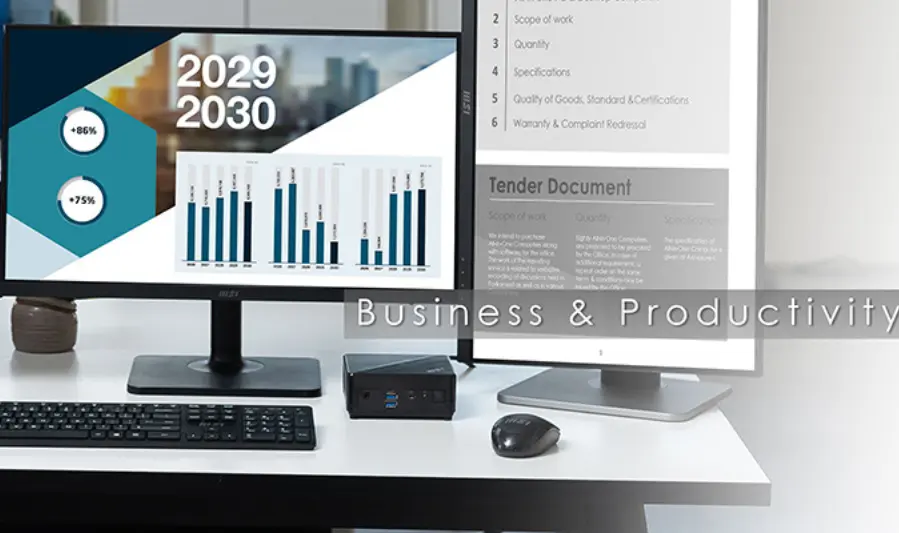
Choosing the right business computer means balancing performance, reliability, and security. Here are the key components and features to consider in 2025:
1. Processor (CPU)
For smooth multitasking and professional software use, go for:
- Intel Core i5 or i7 (13th/14th Gen)
- AMD Ryzen 5 or Ryzen 7 (7000 series or newer)
These processors offer enough power for productivity tasks, video conferencing, and even some light creative workloads.
2. RAM
- 16GB RAM is the current standard for most business needs.
- It ensures smooth performance across multiple tabs, spreadsheets, and background applications.
- For more demanding tasks (data analysis, design, virtualization), consider 32GB or more.
3. Storage
- SSD (Solid State Drive) is a must in 2025.
- Faster boot times
- Quicker file access
- Greater durability than HDDs
- For most users, 512GB SSD is a solid starting point. Business users dealing with large files may benefit from 1TB or a dual-drive setup (SSD + HDD).
4. Security Features
- Look for devices with TPM 2.0 (Trusted Platform Module) for hardware-based security.
- Biometric login (fingerprint or facial recognition) adds convenience and safety.
- Full-disk encryption and secure boot help protect sensitive data, especially in remote or hybrid work environments.
5. Portability vs. Expandability
- Laptops offer portability and are great for remote or mobile professionals.
- Desktops are often more powerful, easier to upgrade, and cost-effective in the long run—ideal for fixed office setups.
6. Operating System
- Windows is the most common and compatible with most business software.
- macOS is preferred by creatives and professionals in the Apple ecosystem.
- Linux is ideal for developers, IT pros, or businesses prioritizing customization and open-source solutions.
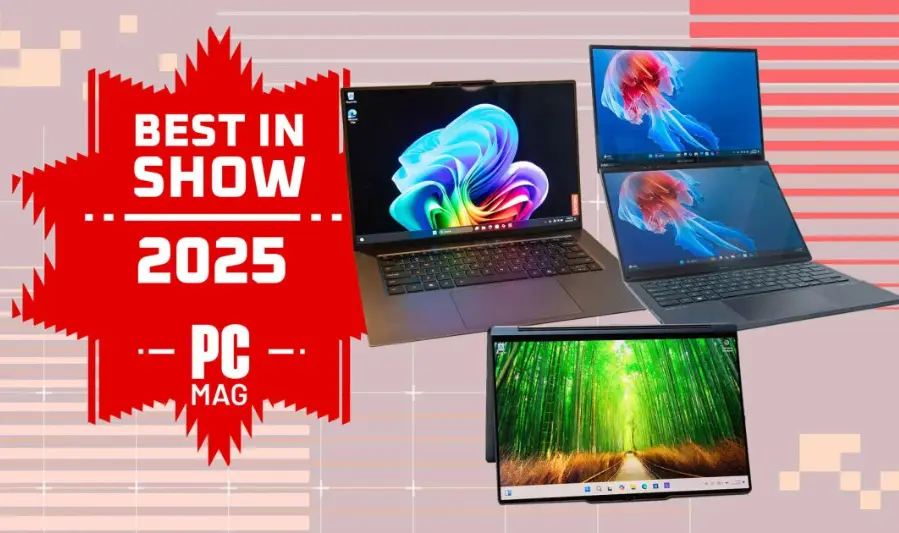
Best Business Computers in 2025 (Top Reviewed Models)
1. Dell OptiPlex 7010 Desktop
- Specs: Configurable up to Intel Core i9‑12900K, up to 64 GB RAM, 2 TB PCIe SSD, Windows 11 Pro
- Ideal For: Traditional office environments requiring dependable multitasking, virtualization, and heavy workloads.
- Pros:
- Exceptionally powerful CPU for productivity tasks.
- Generous memory and storage capacity.
- Compact, business-friendly design with versatile connectivity
- Cons:
- Often sold as refurbished units.
- No dedicated GPU included.
- Takeaway: A durable, high-performance desktop ideal for enterprise deployments with upgrade potential.
2. HP EliteBook 845 G10
- Specs: Powered by AMD Ryzen 7 7840U, equipped with Radeon 780M graphics, excellent battery life (~13 hours in real-world testing)
- Ideal For: Mobile professionals demanding both performance and portability.
- Pros:
- Robust performance with efficient power usage.
- Outstanding battery longevity, exceeding typical business laptop standards.
- Cons:
- No significant drawbacks noted in the source.
- Takeaway: A sleek and efficient laptop, perfect for frequent travelers and productivity-focused users prioritizing long battery life.
3. Apple MacBook Air (M3)
- Specs: M3 chip with up to 50% faster CPU, GPU improvements, 13-inch and 15-inch models (latter supports dual external displays)
- Ideal For: Creatives, consultants, and macOS advocates valuing speed, efficiency, and portability.
- Pros:
- Stellar battery life (16–18+ hours), silent operation, and strong performance
- Bright, accurate display and lightweight build.
- Cons:
- Limited RAM (starting at 8GB), port selection is minimal—dongles needed
- Takeaway: A class-leading ultraportable laptop that excels for work, study, and light creative tasks, especially within Apple’s ecosystem.
4. Lenovo ThinkCentre M90q Gen 4
- Specs: Ultra-compact form factor, enterprise-quality build (detailed specs not sourced, but typical of ThinkCentre line).
- Ideal For: Small desk setups and IT-managed corporate environments.
- Pros:
- Space-saving design without performance compromise.
- Durable and easy to service, ideal for business continuity.
- Cons:
- Limited configuration details in current sources.
- Takeaway: A reliable and neatly packaged PC for business spaces where real estate is limited but productivity can’t be compromised.
5. Microsoft Surface Laptop 6
- Specs: Win‑11 business-oriented; lightweight, sleek chassis (13.5″ and 15″); Intel Core Ultra CPUs or ARM Qualcomm (for consumer versions)
- Ideal For: Style-conscious professionals who prioritize portability and long battery performance.
- Pros:
- Elegant build, webcam and audio quality suited for modern business communication.
- Business version includes up-to-date CPUs and optional 5G connectivity.
- Cons:
- Higher price point, limited customizability, and repair options are constrained.
- Takeaway: A premium, business-ready laptop ideal for professionals frequently on the move or who want seamless design and productivity.
Summary Table
| Model | Best For | Standout Feature |
|---|---|---|
| Dell OptiPlex 7010 | Traditional office use | High performance, upgradeable, compact |
| HP EliteBook 845 G10 | Mobile professionals | Long battery life, efficient CPU |
| Apple MacBook Air (M3) | Creatives/consultants | Lightweight, fast, excellent battery life |
| Lenovo ThinkCentre M90q | Space-limited offices | Small footprint, enterprise-grade build |
| Microsoft Surface Laptop 6 | Stylish, portable business laptops | Sleek design, modern hardware, mobile use |
Desktop vs. Laptop for Business Use
Choosing between a desktop and a laptop depends on your work style, environment, and long-term needs. Here’s how they compare:
Desktops – Pros and Cons
Pros:
- Better Performance for the Price: More powerful hardware at the same price point.
- Easier to Upgrade and Repair: Components like RAM, storage, and GPU are more accessible.
- Longer Lifespan: Less strain on components due to better cooling.
- Larger Displays and More Ports: Ideal for multitasking and multi-monitor setups.
Cons:
- Lack of Portability: Not suitable for remote or mobile work.
- Requires More Space: Needs a dedicated desk and possibly additional peripherals (monitor, keyboard, etc.).
- Setup Is Less Flexible: Not ideal if you’re working in different locations or at home and office.
Laptops – Pros and Cons
Pros:
- Portability: Great for remote work, travel, and hybrid office setups.
- All-in-One Convenience: Built-in screen, keyboard, touchpad, webcam, and battery.
- Less Space Required: Compact and easy to use even in small workspaces.
Cons:
- Higher Cost for Performance: You’ll pay more to match the power of a similarly priced desktop.
- Limited Upgradeability: RAM and storage upgrades may be restricted or soldered.
- Thermal Throttling: Performance may reduce under heavy workloads due to heat constraints.
When to Choose a Desktop:
- You work from a fixed location (office or home).
- You need more power and reliability for the price.
- Your tasks involve demanding software (e.g. video editing, data processing).
When to Choose a Laptop:
- You work remotely, travel often, or use multiple locations.
- Portability and flexibility are more important than raw power.
- You value an all-in-one, plug-and-play setup with minimal wiring or clutter.
Key Features That Matter for Business Users
1. Battery Life and Mobility
For professionals on the move or working remotely, long battery life is critical. Aim for devices that last 8–12 hours on a single charge to avoid constant plugging in. Lightweight and slim designs enhance mobility without sacrificing performance.
2. Screen Size and Resolution
- 13″–14″ screens offer a great balance between portability and usability.
- 15″ or larger screens are better for multitasking or spreadsheet-heavy work.
- Choose at least Full HD (1920×1080) resolution for crisp text and sharp visuals; QHD or 4K is ideal for creative professionals or frequent presentation use.
3. Keyboard Comfort and Build Quality
A reliable, tactile keyboard is essential for long typing sessions. Business laptops should also have:
- Spill resistance
- Backlit keys for low-light environments
- Sturdy build quality to withstand travel and daily use
4. Ports and Connectivity
Essential ports for business tasks include:
- USB-C / Thunderbolt 4: Fast charging, data transfer, and docking support
- HDMI or DisplayPort: For external monitors or projectors
- Ethernet: Reliable wired internet in office setups
- Docking station support: For clean multi-monitor, full-desk productivity
5. Support for Video Calls and Presentations
Remote meetings and client calls require:
- A high-quality webcam (1080p or higher)
- Dual or studio-grade microphones for clear voice pickup
- Speakers that provide clear audio without distortion
- Dedicated function keys for muting/unmuting and managing calls quickly
you may also like to read these posts:
Best Desktop Computers 2025 – Top 5 Picks Under $580
Top Budget Laptops for Students 2025 – Best Picks Under Rs. 58,000
Best Gaming PCs Under $1000 in 2025 for Smooth
Best Business Computers in 2025: Performance & Reliability
Buying Tips for Business Computers
1. Best Times to Buy
- Take advantage of business sales periods such as Black Friday, Cyber Monday, and back-to-school seasons.
- Look out for end-of-quarter deals when manufacturers and retailers offer discounts to meet sales targets.
- Budget planning cycles (e.g., fiscal year-end) can also be a good time to negotiate bulk purchases.
2. Where to Buy
- Purchase directly from manufacturers like Dell, HP, Lenovo, or Apple for customized options and reliable warranty service.
- Authorized resellers often provide competitive pricing and added local support.
- Avoid third-party sellers with unclear warranty policies.
3. Certified Refurbished Options
- Certified refurbished computers offer substantial savings and often come with manufacturer warranties.
- They undergo rigorous testing and quality checks to ensure reliability.
- Ideal for businesses looking to stretch budgets without compromising on performance or support.
4. Volume Pricing and Business Service Contracts
- If buying multiple units, inquire about volume discounts or bulk pricing.
- Consider business service contracts or extended warranties that include on-site support and faster repair turnaround.
- These agreements can reduce downtime and protect your investment over time.
Common Mistakes to Avoid
- Buying Consumer Models with Limited Durability or Warranty
Consumer-grade computers often lack the ruggedness and extended warranty coverage needed for business use, leading to higher downtime and repair costs. - Skipping Essential Specs Like RAM or SSD for Short-Term Savings
Cutting corners on RAM or opting for slower hard drives can negatively impact productivity and user experience. Investing in at least 16GB RAM and an SSD ensures smoother performance. - Ignoring Upgrade Potential
Choosing computers that can’t be upgraded limits their lifespan and increases future replacement costs. Always check if RAM, storage, and other components are user-upgradable. - Not Checking Return Policies or On-Site Support Options
Clear return policies and reliable support services are crucial for business continuity. Failing to verify these can lead to extended downtime in case of hardware issues.
Faqs:
What operating system is best for business computers?
Windows is the most widely used OS in business due to its compatibility with a broad range of software. macOS is preferred for creative professionals and those invested in the Apple ecosystem.
How much RAM do I need for typical business tasks?
At least 16GB of RAM is recommended for smooth multitasking, running business applications, and future-proofing your setup.
Can business computers handle light creative work like photo or video editing?
Yes, many business computers equipped with mid-range CPUs and GPUs can handle light creative tasks, but dedicated workstations are better for heavy editing.
Are refurbished business computers reliable?
Refurbished business computers can be reliable if purchased from reputable sellers who offer warranties and thorough testing.
Is it worth paying more for a business-grade laptop over a consumer model?
Business-grade laptops usually offer better durability, security features, and support services, making them a worthwhile investment for professional use.
Conclusion:
Choosing the right business computer in 2025 is crucial for productivity, security, and long-term reliability. Whether you opt for a powerful desktop or a portable laptop, focusing on key features like a strong processor, sufficient RAM, fast storage, and robust security will ensure your investment supports your professional needs. By considering the top models reviewed here and avoiding common purchasing mistakes, you can find a business computer that delivers excellent performance without overspending. Ultimately, matching your choice to your specific workflow and future growth plans will set you up for success in today’s dynamic work environment.