
Introduction
In today’s connected world, having a reliable headphone with a microphone is essential for clear communication, whether it’s for online classes, remote work meetings, or immersive gaming sessions. However, not everyone needs—or can afford—high-end, expensive audio gear. That’s where budget-friendly headphones with mics come in.
Affordable headphones with microphones offer a great balance of sound quality, comfort, and functionality without breaking the bank. They make it easier for students attending virtual classes, remote workers joining video calls, and gamers coordinating with teammates to stay connected and productive.
This guide will help you understand what features to look for in budget-friendly headphones with mics, highlight the best options available, and provide tips on making the most out of your purchase—ensuring you get the best value for your money.
Why Choose Budget Headphones with Mic?
Cost-effectiveness Without Sacrificing Quality
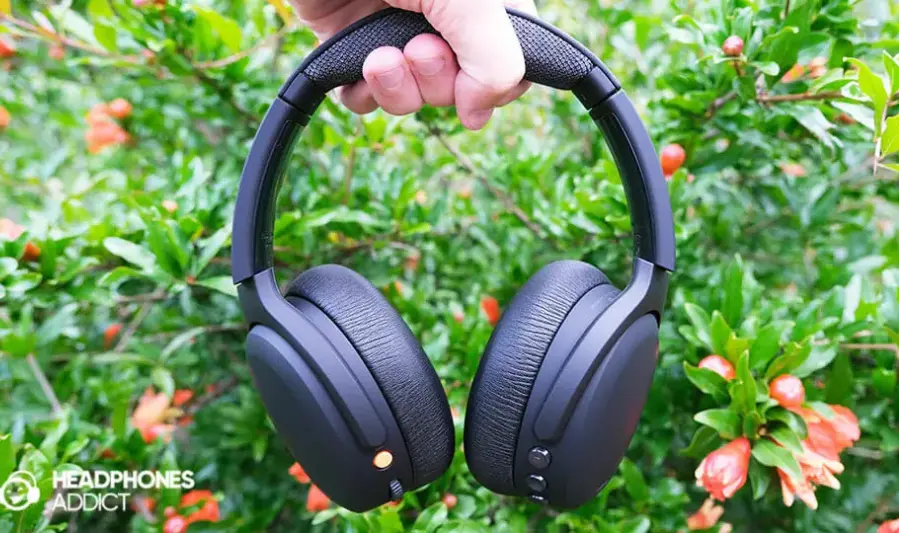
Budget headphones with microphones have come a long way, offering surprisingly good audio performance at a fraction of the cost of premium models. You can enjoy clear sound and reliable microphone quality without overspending.
Versatility Across Different Devices and Uses
Affordable headphones often come with universal compatibility, working seamlessly with smartphones, laptops, gaming consoles, and tablets. This makes them ideal for a wide range of activities—whether attending virtual classes, joining work meetings, or gaming with friends.
Comfortable for Long Listening and Communication Sessions
Many budget models prioritize ergonomic design and lightweight materials, ensuring comfort during extended use. This is especially important for students, remote workers, and gamers who wear headphones for hours at a time.
Clear Sound and Mic Quality for Calls, Gaming, and Media
Despite their low price, quality budget headphones deliver balanced audio with clear mids and highs, making voices and game sounds distinct and immersive. The built-in microphones provide good voice clarity, reducing background noise for effective communication.
Top Budget Headphones with Mic in 2025
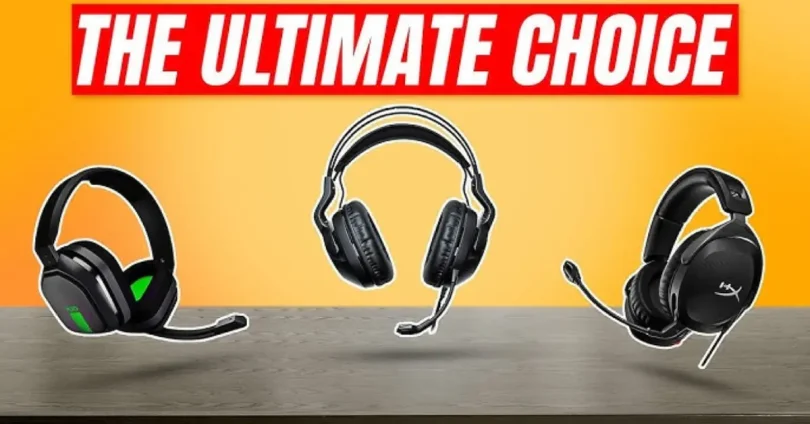
1. JBL Quantum 100 – Wired Over-Ear Gaming Headset
- Features: JBL Quantum Sound Signature, detachable boom mic with echo cancellation, memory foam ear cushions.
- Pros: Clear audio, comfortable for long sessions, multi-platform compatibility (PC, Mac, Xbox, PS4, Nintendo Switch).
- Cons: Build quality may feel basic, lacks wireless option.
- Ideal For: Gamers seeking immersive sound and clear communication on a budget.
2. SENZER SG500 – Surround Sound Pro Gaming Headset
- Features: Surround sound, noise-cancelling microphone, foldable design, soft memory foam padding.
- Pros: Lightweight, comfortable for extended use, plug-and-play compatibility.
- Cons: Build quality may not be as durable, sound quality varies across platforms.
- Ideal For: Casual gamers and remote workers needing a versatile headset.
3. Zebronics Zeb-Rush – Wired Gaming Headset
- Features: Enhanced bass, stereo clarity, flexible noise-reduction mic, RGB lighting.
- Pros: Stylish design, lightweight, affordable.
- Cons: Sound quality may not satisfy audiophiles, build quality is basic.
- Ideal For: Budget gamers desiring a flashy design and decent performance.
4. Cosmic Byte GS410 – Wired Gaming Headset
- Features: 40mm drivers, omnidirectional mic, volume control, adjustable headband.
- Pros: Compatible with multiple platforms, comfortable for long use.
- Cons: Microphone quality may not be top-tier, build quality is average.
- Ideal For: Gamers seeking cross-platform compatibility and comfort on a budget.
5. Kotion Each GS410 – Wired Gaming Headset
- Features: 40mm neodymium drivers, adjustable boom mic, bass boost, in-line controls.
- Pros: Stylish design, good bass response, noise isolation.
- Cons: Build quality may not be as durable, mic quality varies.
- Ideal For: Gamers who appreciate intense bass and voice clarit
Brands Known for Affordable Quality

- JBL: Renowned for delivering quality sound and durability at budget-friendly prices.
- SENZER: Offers comfortable and lightweight headsets with good microphone quality.
- Zebronics: Provides stylish designs with decent performance for gamers on a budget.
- Cosmic Byte: Known for cross-platform compatibility and comfort in their headsets.
- Kotion Each: Offers stylish designs with enhanced bass and noise isolation features.
Comparison: Wired vs. Wireless Budget Options
| Feature | Wired Headsets | Wireless Headsets |
|---|---|---|
| Price | Generally more affordable | Slightly higher due to wireless technology |
| Audio Quality | Consistent, no interference | May experience latency or interference |
| Battery Life | N/A | Limited, requires charging |
| Convenience | Tethered to device | Freedom of movement |
| Ideal For | Stationary use, budget-conscious users | Users desiring mobility and less clutter |
Note: While wireless headsets offer mobility, budget-friendly wireless options may have limitations in battery life and potential audio latency. Wired headsets, on the other hand, provide consistent audio quality without the need for charging.
Key Features to Look for in Budget Headphones with Mic
1. Microphone Quality: Noise Cancellation, Clarity, and Placement
- Noise Cancellation: Opt for headphones with noise-cancelling microphones to minimize background sounds during calls or gaming sessions.
- Clarity: A boom mic positioned near the mouth typically offers clearer voice transmission compared to inline mics.
- Placement: Adjustable or retractable microphones provide flexibility and comfort, allowing you to position the mic as needed.
2. Sound Quality: Balanced Audio for Voice and Music
- Balanced Sound Profile: Look for headphones that deliver clear highs, mids, and lows, ensuring both voice and music are well-represented.
- Adjustable Sound Settings: Some budget models offer customizable EQ settings, allowing you to tailor the audio to your preferences.
3. Comfort: Padding, Weight, and Adjustable Fit
- Padding: Soft ear cushions enhance comfort during extended use.
- Weight: Lightweight designs reduce fatigue, making them suitable for long sessions.
- Adjustable Fit: An adjustable headband ensures a snug fit for various head sizes.
4. Connectivity Options: USB, 3.5mm Jack, Bluetooth
- Wired Connections: A 3.5mm jack offers universal compatibility with most devices.
- Wireless Options: Bluetooth connectivity provides freedom of movement; ensure the headphones support Bluetooth 5.0 or higher for better range and stability.
- Dual Connectivity: Some models support both wired and wireless connections, offering versatility.
5. Durability and Build Quality
- Materials: Look for headphones made from reinforced plastics or metals to withstand daily wear and tear.
- Cables: Reinforced or braided cables are less prone to fraying.
- Foldability: Foldable designs make storage and portability easier.
6. Compatibility with Devices (PC, Mac, Smartphones, Consoles)
- Multi-Platform Support: Ensure the headphones are compatible with your primary devices, such as PCs, Macs, smartphones, and gaming consoles.
- Adapters: Some models come with adapters to enhance compatibility with various devices.
Note: While budget-friendly headphones may not offer premium features, many models provide a balance of quality and affordability suitable for everyday use.
you may also like to read these posts:
Ultimate Guide to Cooling Systems for PCs: Choosing the Right Setup
Wireless Keyboard Buying Guide 2025: Best Models Reviewed
Ultimate Top Gaming Mouse Review: Performance, Features & Value
Affordable Headphones with Mic: Best Picks Under $50
Wired vs. Wireless Budget Headphones
Wired Headphones
Pros:
- Superior Sound Quality: Wired headphones typically offer higher sound quality due to direct analog signal transmission, avoiding compression and latency issues inherent in wireless technology.
- No Battery Required: They draw power directly from the connected device, eliminating the need for charging and ensuring uninterrupted use.
- Lower Cost: Generally more affordable than wireless models, making them budget-friendly options.
- Durability: Fewer electronic components mean there’s less that can go wrong, leading to potentially longer lifespans.
Cons:
- Limited Mobility: The attached cable restricts movement, which can be inconvenient for activities like exercising or commuting.
- Compatibility Issues: Modern devices, especially smartphones, may lack a headphone jack, necessitating adapters.
- Cable Wear: Over time, cables can fray or become damaged, affecting performance.
Wireless Headphones
Pros:
- Freedom of Movement: Without cables, users can move freely, making them ideal for workouts, commuting, or multitasking.
- Convenience: Bluetooth connectivity allows for easy pairing with multiple devices, enhancing usability.
- Modern Features: Many wireless models come equipped with features like noise cancellation, touch controls, and voice assistant integration.
Cons:
- Battery Dependency: Requires regular charging, and battery life can degrade over time.
- Potential Latency: Audio may be slightly delayed due to Bluetooth transmission, which can be noticeable in gaming or video watching.
- Higher Cost: Generally more expensive than wired counterparts, especially for models with advanced features.
Battery Life Considerations for Wireless Options
- Typical Range: Most wireless headphones offer between 8 to 30 hours of battery life on a single charge.
- Battery Degradation: Over time, the battery’s capacity diminishes, leading to shorter usage periods.
- Charging Inconvenience: Regular charging is required, which can be cumbersome during travel or extended
Which Type Suits Different Users?
| User Type | Recommended Headphone Type | Reason |
|---|---|---|
| Students | Wired or Budget Wireless | Cost-effective options are ideal; wired models ensure no charging issues, while wireless offers mobility. |
| Remote Workers | Wireless with Noise Cancelling | Wireless provides comfort during long sessions; noise cancellation enhances focus in noisy environments. |
| Gamers | Wired or Low-Latency Wireless | Wired ensures zero latency; wireless models with aptX Low Latency codec offer flexibility without compromising performance. |
| Commuters/Travelers | Wireless | Freedom from cables and compact design make wireless headphones more convenient for on-the-go use. |
| Budget-Conscious Users | Wired | Offers the best value without sacrificing essential features. |
Tips to Maximize Your Headphone Experience
1. Proper Mic Positioning
- Position the microphone close to your mouth but not directly in front of it to avoid breath noises.
- Aim for about 1-2 inches away from your mouth, slightly off to the side.
- Use adjustable or flexible boom arms if available, so you can find the most comfortable and clear position.
- Keep the mic steady to avoid inconsistent audio pickup.
2. Adjusting Audio Settings for Clarity
- Use software equalizers or built-in sound settings to balance bass, mids, and treble for your preferred sound profile.
- Enable any noise suppression or echo cancellation features your headset or communication app offers.
- Test volume levels before important calls or gaming sessions to avoid distortion or muffled sound.
- In multiplayer games or communication apps, adjust microphone sensitivity to minimize background noise but keep your voice clear.
3. Maintaining and Cleaning Your Headphones
- Clean ear cushions and headbands regularly with a soft, damp cloth or mild cleaning wipes.
- Avoid using harsh chemicals or soaking headphones in water.
- For wired headphones, inspect and gently clean the connectors to prevent connectivity issues.
- Store your headphones in a protective case or dry area when not in use to avoid dust accumulation and physical damage.
4. Troubleshooting Common Issues
- If you hear static or muffled sound, check the connection and cables for damage.
- Restart or re-pair wireless headphones if you experience dropouts or latency.
- Update firmware and drivers regularly to ensure compatibility and improved performance.
- If the mic isn’t picking up sound properly, verify that it’s not muted in your device settings or communication app.
- Try plugging headphones into different devices to isolate whether the problem is with the headphones or the device.
Faqs:
Are budget headphones with mic good for gaming?
Yes, many budget headphones provide clear sound and decent mic quality suitable for casual and some competitive gaming.
Can I use budget headphones with mic on smartphones and laptops?
Absolutely! Most budget headphones with a 3.5mm jack or USB connection are compatible with smartphones, laptops, and other devices.
How effective are noise-canceling mics in budget headphones?
While not as advanced as premium models, many budget headphones offer basic noise cancellation that improves call clarity by reducing background noise.
Are wired headphones better than wireless in the budget category?
Wired headphones typically offer more stable connections and don’t require charging, making them a reliable choice on a budget, though wireless options are improving rapidly.
How long do budget headphones usually last?
With proper care, budget headphones can last from 1 to 3 years, depending on build quality and usage habits.
Conclusion:
Budget headphones with a mic offer excellent value for anyone needing clear communication and good sound without spending a fortune. Whether for gaming, remote work, or casual listening, affordable options in 2025 deliver comfort, decent audio quality, and reliable microphone performance. By focusing on key features like mic clarity, comfort, and compatibility, you can find the perfect budget headset that meets your needs and enhances your daily audio experience.