
Introduction
In 2025, choosing the right graphics card is more important than ever. Whether you’re gaming in 4K, editing 8K videos, training AI models, or just want smooth visuals for day-to-day use, your GPU (Graphics Processing Unit) plays a crucial role in overall performance and user experience.
GPU Technology Has Come a Long Way
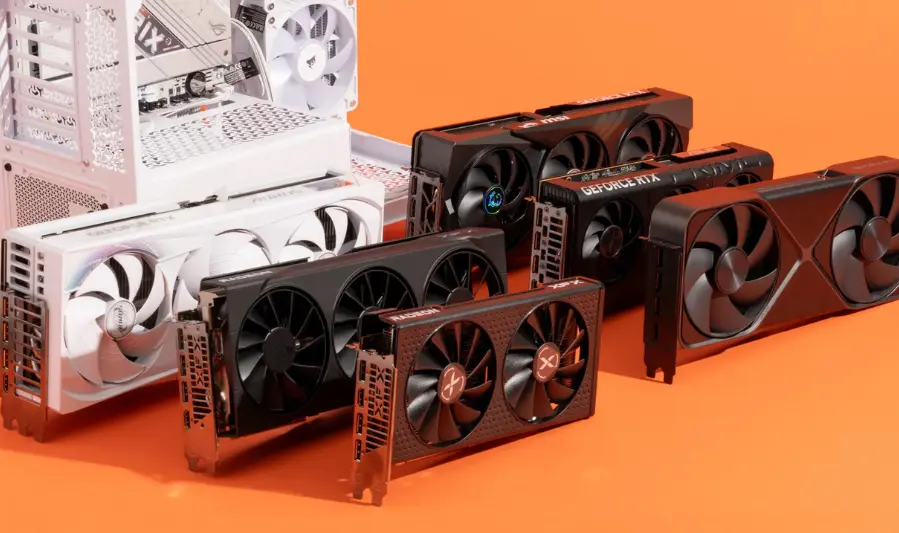
Graphics cards have evolved significantly in recent years. With technologies like real-time ray tracing, AI-enhanced rendering, and hardware acceleration for creative tasks, modern GPUs do far more than just power games. In 2025, options from NVIDIA, AMD, and even Intel continue to push the boundaries of visual performance, energy efficiency, and specialized workloads like machine learning.
Who This Guide Is For
This guide is designed to help gamers, content creators, professional users, and casual users understand what to look for in a graphics card—based on performance, budget, and intended use.
Whether you’re building a powerful gaming rig, upgrading your workstation, or just want a reliable card for streaming and browsing, we’ll help you cut through the confusion and make the right choice.
What to Expect from Graphics Cards in 2025
1. Key Advancements in GPU Technology
- NVIDIA’s Blackwell Architecture & GPU Innovations
NVIDIA’s RTX 50 Series, powered by the Blackwell architecture, marks a major leap in GPU design. It features 4th‑generation RT (ray tracing) cores and 5th‑generation Tensor AI cores. The RTX 5090 delivers up to double the performance of the RTX 4090 with over 3,352 trillion AI operations per second (TOPS)
Blackwell introduces RTX Neural Shaders, delivering AI-enhanced materials, lighting, and geometry in real time, and RTX Neural Faces, which improve realism of in-game characters via generative AI - AMD’s RDNA 4 & Modular SoC Design
AMD’s RDNA 4 architecture, powering the Radeon RX 9000 series, emphasizes improved ray tracing and AI acceleration, offering up to 4× throughput in FP16 workloads. RDNA 4 introduces FSR 4 (a machine‑learning-based upscaling exclusive to RX 9000 GPUs), delivering high quality with minimal performance loss
AMD also adopts a modular SoC approach—using a base design that scales easily across models, improving flexibility and cost efficiency - Intel’s Arc Pro B-Series for Professionals
At Computex 2025, Intel unveiled its Arc Pro B‑Series (B60 and B50), targeted at AI and workstation use. Built on the Xe2 architecture, these GPUs include dedicated AI cores (Xe Matrix Extensions) and significant VRAM (up to 24 GB), combining ray tracing and AI inference capabilities
2. Emerging Trends
- Enhanced Power Efficiency & Cooling Solutions
Next-gen GPUs deliver significantly more performance per watt. NVIDIA’s Max-Q in Blackwell laptops improves battery life by up to 40% . Expect more advanced cooling designs, including vapor chambers and larger heatsinks, to manage heat efficiently - Breakthrough AI Upscaling: DLSS 4 & FSR 4
- DLSS 4 (NVIDIA): Introduces Multi Frame Generation (MFG) to render up to 8× the frame rate by generating multiple frames per rendered frame. It’s transformer-based, offering better motion clarity and reduced ghosting
- FSR 4 (AMD): Offers improved AI-based upscaling with minimal FPS loss (about 5%) and higher GPU utilization (+37%) compared to FSR
- 4K & 8K Gaming Becomes Mainstream
With hardware-accelerated ray tracing becoming standard on mid- to high-tier GPUs, real-time ray tracing in 4K—and even 8K—is becoming more accessible . The RTX 50 series also supports high-bandwidth memory (GDDR7) and DisplayPort 2.1b for high-res, high-refresh gaming - AI Rendering & Neural Techniques
Neural rendering—which combines AI with traditional graphics pipelines—enables realistic visuals with lower computational cost. Techniques like neural radiance caching and neural shaders are becoming central to next-gen rendering, saving VRAM and improving realism
3. Impact of Competition: NVIDIA vs AMD vs Intel (and Others)
- NVIDIA leads in raw AI-driven performance with Blackwell, DLSS 4, and neural rendering innovations
- AMD counters with RDNA 4’s mainstream-focused gains in cost-efficiency, modular design, and competitive FSR 4 upscalin
- Intel is carving out a niche with professional-grade Arc GPUs optimized for AI and workstation applications
- China’s Lisuan GPUs: Emerging domestic alternatives like Lisuan’s 7G106 and 7G105 offer competitive 4K performance and AI capability, signaling shifts in the global GPU landscape
Summary Table
| Trend / Contributor | NVIDIA (Blackwell) | AMD (RDNA 4) | Intel (Arc Pro B-Series) |
|---|---|---|---|
| Architecture | Blackwell: neural shaders, GDDR7 memory | Modular SoC, improved RT & AI cores | Xe2 architecture, AI-focused GPU |
| AI Upscaling | DLSS 4 with Multi Frame Generation (8× FPS) | FSR 4 (AI upscaling, exclusive hardware) | — |
| Ray Tracing & Realism | Neural Shaders, RTX Neural Faces | RDNA 4 ray tracing enhancements | Hardware RT + AI cores |
| Efficiency & Cooling | Max-Q improvements and advanced cooling | Efficient design via modular SoC | Professional power/thermal balance |
| Market Focus | Gamers, creators, AI enthusiasts | Value-focused gamers, mainstream users | Professional creatives and AI devs |
Expect 2025 to be a landmark year for GPU innovation—AI-enhanced realism, high-efficiency architectures, and broad support for high-resolution gaming. Whether you’re into hardcore gaming, creative work, or AI projects, the GPU landscape has something to elevate everyone’s experience.
Best Graphics Cards of 2025 (By Category)
3.1 Best Overall GPU (Performance + Value)
- AMD Radeon RX 9070 XT
Why it stands out: TechRadar calls it the best overall pick for gamers, offering near-RTX 4080 4K performance at roughly half the price . Tom’s Hardware praises its balance of price and performance.
3.2 Best GPU for 4K Gaming
- NVIDIA RTX 5090
Why it shines: Dominates 4K ultra and 8K performance. Features include 32 GB GDDR7 VRAM, DLSS 4 with Multi-Frame Generation, and top-tier benchmarks. PC Gamer confirms availability at MSRP with flagship specs Tom’s Hardware labels it “the best graphics card, period” .
3.3 Best GPU for 1440p Gaming
- NVIDIA RTX 5070 Ti
Why it’s preferred: Delivers high-refresh 1440p performance, DLSS 4 support, and efficient power use. Tom’s Hardware ranks it as the top midrange pick TechRadar includes it among best Nvidia option.
3.4 Best Budget Graphics Card
- Intel Arc B570 / B580
Why to consider: Excellent 1080p/1440p performance with substantial VRAM at a lower cost. PC Gamer lists the Arc B570 as a solid budget pick . TechRadar and 9meters highlight Arc B580’s value at around $350 .
3.5 Best GPU for Content Creators and Professionals
- NVIDIA RTX 5090 stands out here too, with 32 GB GDDR7, massive CUDA core count, and unmatched AI/rendering performance . For professional workflows, the upcoming NVIDIA RTX Pro 4000 SFF offers 24 GB ECC GDDR7 memory, 770 AI TOPS at just 70 W TDP—ideal for compact workstations .
3.6 Best GPU for Compact Builds (Small Form Factor)
- NVIDIA RTX Pro 4000 SFF
Standout benefits: Designed for small form factor systems, offering pro-grade performance, high memory, and low power draw .
3.7 Best AMD Graphics Card
- AMD Radeon RX 9070 XT
Why it’s the AMD champ: Strikes the right balance of price, performance, and VRAM. AMD’s RDNA 4 architecture, FSR 4 upscaling, and value proposition make it a standout .
3.8 Best NVIDIA Graphics Card
- NVIDIA RTX 5090 continues to lead as NVIDIA’s flagship with unmatched raw power, advanced AI features, and future-proof specs .
Quick Comparison Table
| Category | Best GPU | Highlights |
|---|---|---|
| Best Overall | AMD RX 9070 XT | Excellent value, strong performance |
| Best for 4K Gaming | NVIDIA RTX 5090 | Top-tier specs, DLSS 4, massive VRAM |
| Best for 1440p Gaming | NVIDIA RTX 5070 Ti | High FPS, efficient, DLSS 4 |
| Best Budget Option | Intel Arc B570 / B580 | Affordable, solid performance with good VRAM |
| Best for Creators & Professionals | NVIDIA RTX 5090 | Massive VRAM, AI & rendering horsepower |
| Best for Compact Builds | NVIDIA RTX Pro 4000 SFF | Powerful yet small and energy-efficient |
| Best AMD Option | AMD RX 9070 XT | Great raster performance and value |
| Best NVIDIA Flagship | NVIDIA RTX 5090 | The pi |
Graphics Card Khareedne Se Pehle Sochne Wali Cheezein
1. Aapka Use Case
- Gaming: Agar 1440p ya 4K gaming aapka maqasad hai, toh aise GPU chunain jo ray tracing aur AI upscaling (DLSS ya FSR) support karte hain.
- Content Creation / Professional Work: 3D rendering, video editing, AI ya ML workflows ke liye zyada CUDA cores, VRAM (16GB+), aur strong GPU compute performance zaroori hai .
- Casual Use (Browsing, Media): Basic GPUs ya integrated options bhi kafi ho sakte hain, lekin future proofing ke liye at least 8GB VRAM recommend ki jati hai.
2. Resolution aur Refresh Rate Requirements
- 1080p: 6–8 GB VRAM usually kafi hoti hai.
- 1440p: Kam az kam 10–12 GB VRAM ideal hai—especially agar aapko achi future proofing chahiye .
- 4K aur 8K: 16–32 GB VRAM recommended, saath hi high-end clock speed aur memory bandwidth bhi zaruri hoga .
3. Power Supply (PSU) aur Case Compatibility
- PSU: GPU ke recommended wattage se 20–30 % zyada PSU rakhein — yeh aapke system ko stable aur future upgrade-friendly banata hai .
- Connectors: NVIDIA RTX 50-series jaise cards 16‑pin 12V‑2×6 connectors istemal karte hain; purane 12VHPWR connectors se compatible hain, lekin ensure kar lein ke PSU mein sahi cable available ho .
- Size aur Cooling: GPU ki dimensions, slots width, case airflow zaroor check karein — kuch high-end GPUs purane cases mein fit nahi honge aur cooling issues la sakte hain .
4. VRAM aur Future-Proofing
- VRAM: Higher resolution aur texture-heavy workloads ke liye VRAM bohat important hai. Jitni zyada VRAM hogi, utni behtar future-proofing hogi.
- Future Models: NVIDIA ke RTX 50 SUPER series (RTX 5070 Ti SUPER, etc.) mein 24 GB VRAM jaisi upgrades aam ho rahi hain — yeh agay chal kar faydemand sabit ho sakta hai .
5. Budget aur Abhi Ki Pricing Trends
- Price fluctuations: GPUs ki qeemat often unstable rehti hai — high-end cards jaise RTX 5090 takraggarein $2,000+ ho chuki hain, jabke mid-range aur budget options bhi mehngi hain .
- Deals aur Value Picks: Abhi ke market mein RTX 5060 (
$300), RX 9060 XT ($270) aur Arc B570 (~$230) jaise affordable deals available hain. - Resale & Longevity: GPUs ki resale value bhi dekhain. NVIDIA models aksar ziada mehngi sold hote hain second-hand market mein .
you may also like to read these posts:
Best Business Computers in 2025: Performance & Reliability
All-in-One Computers Guide 2025: Best Picks & Buying Tips
Powerful & Compact: Best Portable Mini PCs for Work
The Most Powerful Graphics Cards of 2025 Reviewed
Summary Table
| Factor | Why It Matters |
|---|---|
| Use Case | Determines required GPU compute power, VRAM, features (gaming vs professional work) |
| Resolution & Refresh Rate | Higher resolutions require more VRAM and stronger performance |
| PSU & Case Compatibility | Ensure sufficient power, correct connectors, and proper fit & cooling |
| VRAM & Future-Proofing | More VRAM supports future workloads and high-resolution textures |
| Budget & Pricing Trends | Helps in choosing value picks, planning upgrades, timing purchases efficiently |
How to Check GPU Compatibility
1. Motherboard and PSU Requirements
- PCIe Slot Compatibility:
Most modern GPUs use a PCIe x16 slot. Check your motherboard’s specifications to ensure it has a free PCIe x16 slot.- PCIe 3.0, 4.0, and 5.0 slots are backward and forward compatible, but newer GPUs benefit from PCIe 4.0 or 5.0 for maximum bandwidth.
- Older motherboards with PCIe 2.0 or earlier may bottleneck newer GPUs, reducing performance.
- Power Supply Unit (PSU):
- Verify your PSU wattage; high-end GPUs require 500W to 1000W+ power supplies depending on model.
- Check required power connectors: modern GPUs might need 8-pin, 12-pin, or even newer 16-pin connectors.
- If your PSU lacks these connectors, you might need adapters or a PSU upgrade.
2. PCIe Version and Size
- PCIe Version:
- PCIe 3.0, 4.0, and 5.0 differ mainly in bandwidth. While newer versions offer higher bandwidth, most GPUs work fine on PCIe 3.0 with minimal performance loss for gaming.
- For professional workloads or high-speed data transfers, PCIe 4.0 or 5.0 is preferred.
- Physical Size (Length and Width):
- GPUs vary in size: single-slot, dual-slot, triple-slot designs, and different lengths (200mm to 320mm+).
- Measure your case’s GPU clearance to ensure the card fits comfortably without blocking other components or airflow.
3. Bottlenecks with Older CPUs
- CPU Bottleneck:
- If your CPU is outdated or low-end, it can limit GPU performance by not keeping up with rendering demands, causing lower FPS or stuttering.
- For example, pairing a flagship GPU like RTX 5090 with an old quad-core CPU might reduce the card’s potential.
- Use online bottleneck calculators or forums to check compatibility between your CPU and prospective GPU.
Summary Table:
| Compatibility Factor | What to Check |
|---|---|
| Motherboard PCIe Slot | PCIe x16 slot available, version (3.0, 4.0, 5.0) |
| PSU Wattage & Connectors | Wattage sufficiency, correct power cables/connectors |
| GPU Size | Card length, width, slot thickness vs case clearance |
| CPU Compatibility | Avoid bottlenecks by matching GPU with capable CPU |
Tip: Always check manufacturer specs for both your PC components and the GPU. If you’re building a new PC, balance CPU and GPU selection to maximize performance and avoid bottlenecks.
Where to Buy GPUs in 2025
Trusted Online Retailers
United States:
- Newegg: A reputable platform offering a wide selection of GPUs from various brands. They provide detailed product listings, customer reviews, and competitive pricing.
- Amazon: Known for its vast inventory and reliable delivery services. Ensure to purchase from verified sellers to avoid counterfeit products.
- Best Buy: Offers a range of GPUs with the advantage of in-store pickup options. Regularly check for restocks and deals.
United Kingdom:
- Overclockers UK: Specializes in high-performance hardware, including GPUs. They offer both online and in-store shopping experiences.
- CCL Computers: Provides a variety of GPUs with detailed specifications and customer reviews.
- Ebuyer: Offers competitive pricing on GPUs and other computer components.
Pakistan:
- HCom Distributors: A leading distributor offering a wide range of gaming graphics cards from AMD and Nvidia.
- Yalman Gaming: Known for premium and reliable GPUs, ideal for high-end models like the RTX 4080 Super or RX 7900 XTX.
- Daraz: A popular online marketplace; ensure the seller is DarazMall certified to avoid third-party scams.
Availability, Warranty, and Return Policy
- Availability: High-demand GPUs like the RTX 5090 and AMD RX 9070 XT often face stock shortages. It’s advisable to monitor retailer websites for restocks and consider signing up for stock alerts.
- Warranty: Purchasing from authorized retailers ensures that your GPU comes with a manufacturer’s warranty, providing coverage for defects and support for returns or exchanges.
- Return Policy: Reputable retailers offer clear return policies. Always review these policies before purchasing to understand the process for returns or exchange
Tips to Avoid Scalpers and Counterfeit Products
- Buy from Authorized Retailers: Purchase GPUs directly from manufacturers or their authorized retailers to ensure authenticity and warranty coverage.
- Be Cautious of Third-Party Sellers: Avoid purchasing from unverified third-party sellers on platforms like eBay or Craigslist, especially if the price seems too good to be true.
- Check Product Authenticity: After receiving your GPU, verify its authenticity by checking for proper branding, holographic labels, and matching serial numbers.
- Monitor Restocks: High-demand GPUs often sell out quickly. Use restock alert tools and monitor retailer websites regularly to increase your chances of securing a unit at MSRP.
- Avoid Unusually Low Prices: If a deal seems too good to be true, it probably is. Be wary of significantly discounted GPUs, as they may be counterfeit or refurbished.
Upcoming GPUs to Watch (Late 2025)
NVIDIA GeForce RTX 50 SUPER Series
- Models Expected: RTX 5080 SUPER, RTX 5070 Ti SUPER, RTX 5070 SUPER
- Key Upgrades: Increased VRAM—up to 24GB GDDR7 for the 5080 SUPER (from 16GB) and 5070 Ti SUPER (from 16GB), and 18GB for the 5070 SUPER (from 12GB).
- Launch Timeline: Anticipated towards the end of 2025, possibly before CES 2026.
- Expected Pricing: Pricing details remain uncertain, especially given inflation and high current market prices.
- Why It Matters: Enhanced VRAM will benefit high-resolution and graphically demanding games, addressing past concerns over insufficient VRAM in previous cards.
AMD RDNA 4 Series
- Launch Date: Early 2025
- Architecture: Modular SoC design, allowing for scalable GPU configurations.
- Key Models: Radeon RX 9070 XT powered by the Navi 48 chip.
- Features: Optimized for AI, ray tracing, and media encoding quality.
- Why It Matters: The modular approach enables AMD to build GPUs with more flexibility and lower production costs, potentially leading to a broader range of next-gen graphics cards.
Intel Arc Pro Battlemage Series
- Launch Date: Expected in 2025
- Key Models: Arc Pro B570 20GB, Arc Pro B580 24GB, and potentially a B770 with up to 32GB VRAM.
- Target Audience: Professional users in fields such as AI development, 3D rendering, and scientific computing.
- Why It Matters: Intel’s move into the high-memory professional GPU space signals its intent to challenge established players like NVIDIA’s professional-grade GPUs.
What to Expect
- Performance Enhancements: Anticipate significant improvements in ray tracing, AI acceleration, and overall computational power across all three manufacturers.
- Pricing Trends: While exact prices are yet to be confirmed, expect competitive pricing strategies as each company aims to capture market share.
- Market Dynamics: The competition between NVIDIA, AMD, and Intel is expected to intensify, leading to innovations and potentially more affordable options for consumers.
Faqs:
Which graphics card is the best overall in 2025?
The best overall graphics card balances performance, price, and features. Currently, top contenders include NVIDIA’s RTX 4090 and AMD’s RX 7900 XTX, depending on your budget and specific needs.
How much VRAM do I need for 4K gaming in 2025?
For smooth 4K gaming, at least 12GB to 16GB of VRAM is recommended. This ensures high-resolution textures and future-proofing for upcoming titles.
Are AMD graphics cards better than NVIDIA in 2025?
Both AMD and NVIDIA offer excellent GPUs in 2025. NVIDIA generally leads in ray tracing and AI features, while AMD provides great value and competitive rasterization performance. The choice depends on your priorities and budget.
Should I upgrade my graphics card this year or wait?
If your current GPU struggles with your games or tasks, upgrading now can improve your experience significantly. However, if you’re on a budget, waiting for upcoming releases later in the year might be worth it.
Can I use a high-end GPU with an older CPU?
You can, but older CPUs may bottleneck high-end GPUs, limiting their performance. To get the most out of a new graphics card, ensure your CPU and other components are up to date.
Conclusion:
Choosing the best graphics card in 2025 depends on your specific needs, whether it’s gaming, content creation, or professional work. With powerful options available from NVIDIA, AMD, and Intel, you can find a GPU that fits your budget and performance requirements. By considering factors like resolution, VRAM, and compatibility, you’ll make a smart purchase that keeps your system future-proof and running smoothly. Stay updated with the latest releases and pick the right card to unlock the full potential of your PC.