
Introduction
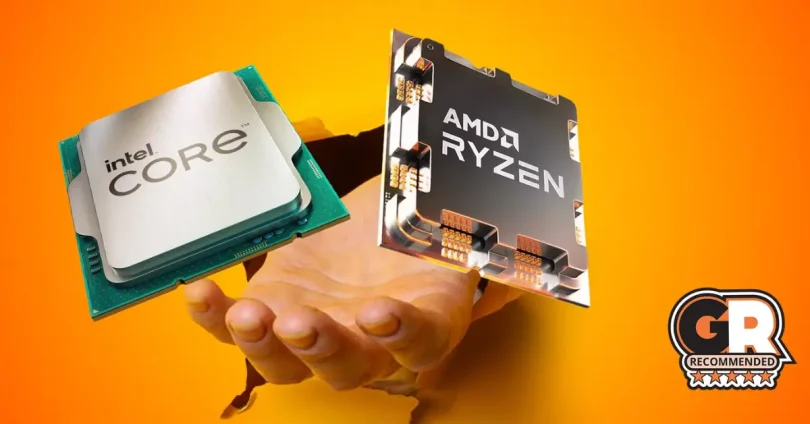
Choosing the right processor is crucial for an optimal gaming experience in 2025. While graphics cards (GPUs) often steal the spotlight when it comes to gaming performance, the CPU plays an equally important role in ensuring smooth gameplay, fast load times, and handling game logic and physics.
A powerful CPU can prevent bottlenecks, allowing your GPU to perform at its best, especially in CPU-intensive games or those that rely heavily on single-thread performance. On the other hand, a weaker processor can limit frame rates and overall gaming responsiveness, even if paired with a top-tier GPU.
In this blog, we’ll explore how the CPU impacts gaming performance compared to the GPU, discuss key factors to consider when choosing a gaming processor, and provide guidance on picking the best CPU to match your gaming needs and budget.
Understanding the Role of a Processor in Gaming
How CPUs Affect Game Performance
The processor, or CPU, is the brain of your computer and plays a critical role in how games perform. It handles essential tasks like calculating game physics, managing artificial intelligence (AI) behaviors, and processing input commands. All of these directly impact your frame rates and overall smoothness in gaming.
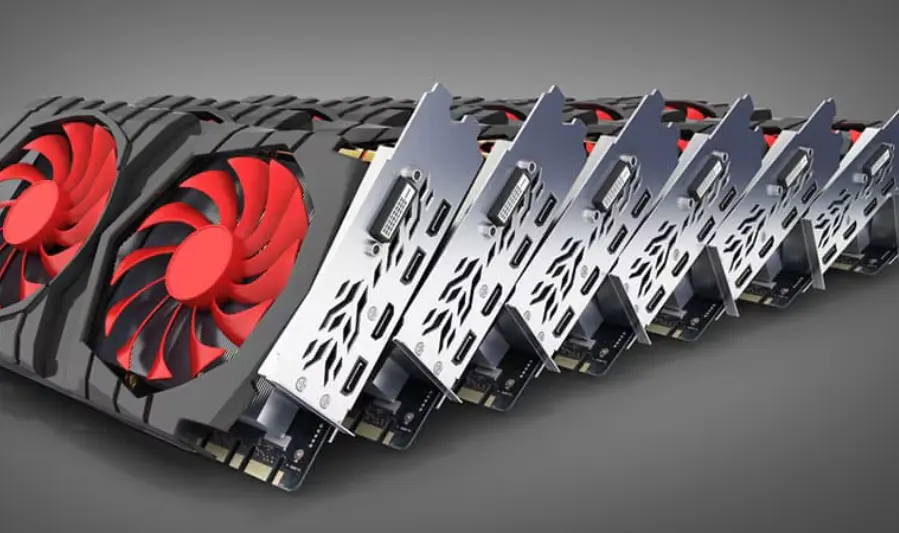
While GPUs render the graphics and visual effects, CPUs ensure the game world functions properly behind the scenes. A faster CPU means quicker processing of game logic, resulting in smoother gameplay, reduced lag, and faster load times.
Single-Core vs Multi-Core Performance
Many modern games utilize multiple CPU cores to distribute workloads efficiently. However, the performance of each individual core—known as single-core performance—remains crucial, especially for games that rely heavily on sequential processing.
- Single-Core Performance: Impacts tasks that require fast, linear processing like game physics, AI calculations, and frame timing. High single-core speeds generally improve frame rates and reduce stuttering.
- Multi-Core Performance: Allows games and background processes to run simultaneously without slowing down your gaming experience. Modern games are increasingly optimized to use multiple cores, benefiting from processors with 6, 8, or more cores.
Choosing a CPU with a good balance of strong single-core speed and enough cores for multitasking is key for gaming.
Impact of CPU on Streaming and Multitasking While Gaming
Many gamers today also stream their gameplay or run other applications alongside their games (like Discord, browsers, or recording software). This multitasking relies heavily on the CPU.
A powerful multi-core CPU ensures that streaming, voice chat, video recording, and gaming can all run smoothly without dropping frames or causing lag. If your processor is underpowered, multitasking can severely degrade gaming performance.
Summary: The CPU isn’t just a supporting player—it’s a vital component that directly affects frame rates, game responsiveness, and your ability to multitask while gaming. Selecting the right processor helps unlock the full potential of your GPU and delivers a smoother, more enjoyable gaming experience.
Key Features of Powerful Gaming Processors
Clock Speed (Base and Boost)
Clock speed, measured in gigahertz (GHz), indicates how fast a processor can execute instructions. Most CPUs have a base clock speed (the guaranteed minimum) and a boost clock speed (the maximum speed achievable under load).
Higher clock speeds improve single-threaded performance, which is critical for many games, especially those relying on fast processing of game logic and physics. When shopping for a gaming CPU, pay attention to both base and boost clocks for the best performance.
Number of Cores and Threads
Modern games increasingly leverage multiple cores to distribute tasks efficiently.
- Cores are physical processing units in a CPU.
- Threads are virtual cores enabled through technologies like Intel’s Hyper-Threading or AMD’s SMT, allowing each core to handle multiple tasks simultaneously.
For gaming, a processor with 6 to 8 cores and 12 to 16 threads is typically ideal, striking a balance between raw gaming power and the ability to multitask, such as streaming or running background apps.
Cache Size and Memory Support
The CPU cache is a small, fast memory located on the processor itself. Larger cache sizes allow the CPU to access frequently used data more quickly, improving game responsiveness and loading times.
Additionally, support for the latest memory standards like DDR5 RAM offers higher bandwidth and lower latency, helping boost overall gaming performance and future-proofing your system.
Thermal Design Power (TDP) and Cooling Considerations
TDP measures the maximum heat a CPU is expected to generate under load, expressed in watts (W).
- CPUs with higher TDPs typically deliver better performance but require more robust cooling solutions.
- Efficient cooling, whether via quality air coolers or liquid cooling, is essential to maintain stable performance and prevent thermal throttling during intense gaming sessions.
Support for Latest Technologies (PCIe 5.0, DDR5)
Cutting-edge processors support the latest platform technologies that enhance gaming performance:
- PCIe 5.0 provides faster data transfer speeds between the CPU and GPU or SSDs, enabling quicker load times and better future-proofing.
- DDR5 RAM offers improved speed and efficiency over DDR4, helping to handle the increasing memory demands of modern games.
Choosing a processor compatible with these technologies ensures your gaming rig stays relevant for years to come.
Top Gaming Processors in 2025
1. Intel Core i9-13900K
- Cores/Threads: 24 (8 P-cores + 16 E-cores)
- Base/Boost Clock: 3.0 GHz / 5.8 GHz
- Cache: 36MB
- TDP: 125W
- Memory Support: DDR5-5600, DDR4-3200
Pros:
- Exceptional performance in AAA games and multitasking scenarios.
- High boost clock speeds enhance single-threaded workloads.
- Supports both DDR4 and DDR5 memory, offering flexibility.
Cons:
- Higher power consumption and thermal output; requires robust cooling solutions.
- No bundled cooler included.
Ideal Use Case:
Best suited for gamers who engage in high-refresh-rate gaming and content creators requiring substantial processing power.
2. AMD Ryzen 9 7950X
- Cores/Threads: 16/32
- Base/Boost Clock: 4.5 GHz / 5.7 GHz
- Cache: 80MB
- TDP: 170W
- Memory Support: DDR5-5200
Pros:
- Outstanding multi-threaded performance, ideal for productivity tasks.
- High boost clocks enhance gaming performance.
- Supports PCIe 5.0 for future-proofing.
Cons:
- Higher power consumption; necessitates efficient cooling solutions.
- No bundled cooler included.
Ideal Use Case:
Perfect for gamers who also engage in content creation, 3D rendering, or other CPU-intensive tasks.
3. Intel Core i7-13700K
- Cores/Threads: 16 (8 P-cores + 8 E-cores)
- Base/Boost Clock: 3.4 GHz / 5.4 GHz
- Cache: 30MB
- TDP: 125W
- Memory Support: DDR5-5600, DDR4-3200
Pros:
- Delivers near i9-level gaming performance at a more affordable price point.
- Supports both DDR4 and DDR5 memory, providing flexibility.
- Overclockable for enhanced performance.
Cons:
- Higher power consumption; requires efficient cooling solutions.
- No bundled cooler included.
Ideal Use Case:
Ideal for gamers seeking high performance without the premium price tag of the i9 series.
4. AMD Ryzen 7 7700X
- Cores/Threads: 8/16
- Base/Boost Clock: 4.5 GHz / 5.4 GHz
- Cache: 40MB
- TDP: 105W
- Memory Support: DDR5-5200
Pros:
- Strong gaming performance, especially at 1440p resolutions.
- Lower power consumption compared to higher-end models.
- Supports PCIe 5.0 for future-proofing.
Cons:
- Limited multi-threaded performance compared to 12-core and 16-core counterparts.
- No bundled cooler included.
Ideal Use Case:
Best for gamers who prioritize 1440p gaming and seek a balance between performance and power efficiency.
5. Budget Picks
AMD Ryzen 5 7600X
- Cores/Threads: 6/12
- Base/Boost Clock: 4.7 GHz / 5.3 GHz
- Cache: 32MB
- TDP: 105W
- Memory Support: DDR5-5200
Pros:
- Excellent 1080p gaming performance at an affordable price.
- Supports DDR5 memory for future-proofing.
- Lower power consumption.
Cons:
- No bundled cooler included.
- Limited multi-threaded performance compared to higher-end models.
Ideal Use Case:
Perfect for gamers on a budget who primarily play at 1080p resolutions
you my also like to read these posts:
All-in-One Computers Guide 2025: Best Picks & Buying Tips
Powerful & Compact: Best Portable Mini PCs for Work
The Most Powerful Graphics Cards of 2025 Reviewed
Top Powerful Processors for Ultimate Gaming Performance 2025
How to Match Your Processor with Your Graphics Card
Avoiding CPU Bottlenecks
A CPU bottleneck occurs when your processor can’t keep up with the graphics card, limiting your overall gaming performance. This results in lower frame rates and stuttering, even if your GPU is powerful. To prevent this, it’s important to pair your CPU and GPU so that neither component holds back the other.
Recommendations Based on Gaming Resolution
- 1080p Gaming: At this resolution, the CPU often limits performance because the GPU has less workload. Choose a strong mid-range or high-performance CPU paired with a mid-tier GPU (e.g., Intel Core i5-13600K + NVIDIA RTX 4060 Ti) for smooth gameplay and high frame rates.
- 1440p Gaming: The workload shifts more toward the GPU, but the CPU still matters. A powerful CPU paired with a solid GPU (e.g., AMD Ryzen 7 7700X + NVIDIA RTX 4070) balances performance well at this resolution.
- 4K Gaming: The GPU is the main performance driver at 4K, while the CPU has less impact. A good mid-to-high-end CPU combined with a top-tier GPU (e.g., Intel Core i9-13900K + NVIDIA RTX 4090) ensures optimal performance.
Examples of Balanced CPU-GPU Combos
| Gaming Resolution | CPU Example | GPU Example | Notes |
|---|---|---|---|
| 1080p | Intel Core i5-13600K | NVIDIA RTX 4060 Ti | High frame rates at 1080p |
| 1440p | AMD Ryzen 7 7700X | NVIDIA RTX 4070 | Balanced for high-quality gaming |
| 4K | Intel Core i9-13900K | NVIDIA RTX 4090 | Top performance for 4K gaming |
Summary: Choosing the right CPU-GPU combination depends largely on your target gaming resolution and workload. Aim for balanced pairings to maximize performance without overspending on components that won’t deliver noticeable benefits.
Overclocking and Cooling Solutions for Gaming CPUs
Benefits and Risks of Overclocking
Overclocking is the process of increasing your CPU’s clock speed beyond its factory settings to boost performance. For gamers, this can mean higher frame rates, smoother gameplay, and better responsiveness—especially in CPU-bound titles.
Benefits:
- Increased gaming performance and frame rates.
- Better multitasking and faster processing for demanding tasks.
- Extended lifespan of a system’s competitiveness without upgrading hardware.
Risks:
- Higher heat output, which can lead to thermal throttling if not managed properly.
- Potentially reduced CPU lifespan if voltages and temperatures aren’t controlled.
- Voiding manufacturer warranties in some cases.
- System instability if overclocking is not done carefully.
Recommended Cooling Options
To safely overclock and maintain optimal performance during long gaming sessions, effective cooling is essential:
- Air Coolers:
Quality air coolers with large heatsinks and multiple heat pipes (e.g., Noctua NH-D15, be quiet! Dark Rock Pro) offer excellent cooling at a reasonable price. They’re easy to install and maintain but may be bulky. - Liquid Cooling (AIO Coolers):
All-in-One (AIO) liquid coolers provide superior heat dissipation, often with quieter operation and a smaller CPU socket footprint. Popular models include Corsair Hydro Series and NZXT Kraken. Ideal for high overclocks or CPUs with high TDP. - Custom Water Cooling:
For enthusiasts and extreme overclockers, custom loops offer the best cooling performance but require more maintenance and upfront cost.
How Cooling Affects Sustained Gaming Performance
Efficient cooling is critical for maintaining sustained performance during long gaming sessions. When a CPU gets too hot, it may throttle its clock speeds to prevent damage, leading to lower frame rates and stuttering.
Good cooling keeps temperatures low, allowing the CPU to maintain its boost clocks consistently, resulting in smoother and more reliable gameplay. Additionally, cooler components generally have a longer lifespan and better stability.
Summary: Overclocking can unlock extra gaming performance but requires adequate cooling solutions to manage increased heat. Choosing the right cooler not only protects your CPU but also ensures you get the most out of your hardware during intense gaming sessions.
Future-Proofing Your Gaming PC
Importance of Support for New Standards
To keep your gaming PC relevant and capable of handling upcoming games and technologies, it’s crucial to choose components that support the latest standards:
- PCIe 5.0:
This latest interface offers double the bandwidth of PCIe 4.0, allowing faster communication between your CPU, GPU, and SSDs. PCIe 5.0-ready CPUs and motherboards help ensure you won’t bottleneck future high-speed graphics cards or storage devices. - DDR5 Memory:
DDR5 RAM provides higher speeds and better power efficiency compared to DDR4, which can translate to smoother multitasking and gaming performance as games become more demanding.
Choosing CPUs that support these standards today means your system will be better equipped to handle next-generation hardware and software.
Upgrade Paths and Compatibility Considerations
When building or upgrading a gaming PC, consider the following to maximize future upgrade potential:
- Socket Compatibility:
Opt for CPUs with current or widely supported sockets (e.g., LGA 1700 for Intel 12th/13th gen, AM5 for AMD Ryzen 7000 series) so you can upgrade processors without replacing the entire motherboard. - Motherboard Features:
Ensure your motherboard supports the latest technologies, has ample RAM slots, and provides room for additional storage or expansion cards. - Power Supply and Cooling:
Anticipate future CPU or GPU upgrades by choosing a quality PSU and cooling solution that can handle increased power and thermal demands.
Choosing CPUs with Longevity in Mind
To future-proof your build effectively:
- Pick CPUs with 6-8 cores or more and strong single-threaded performance to handle upcoming game engines and multitasking needs.
- Favor processors from current-generation lineups that support PCIe 5.0 and DDR5 RAM.
- Consider CPUs from brands known for long-term support and regular driver updates to ensure ongoing optimization.
Summary: Future-proofing your gaming PC involves selecting CPUs and components that embrace new standards, offer flexible upgrade paths, and deliver solid performance today and tomorrow. This strategy helps maximize your investment and keeps your gaming rig ready for the future.
Budget Considerations and Where to Save
When to Invest More in CPU vs GPU
In most gaming builds, the GPU (graphics card) has a greater impact on performance—especially at 1440p or 4K resolutions. However, the CPU still matters, particularly in:
- Competitive or CPU-intensive games (e.g. CS:GO, Cities: Skylines, Total War).
- Multitasking setups like streaming, recording, or running background apps while gaming.
- Ensuring your GPU is not bottlenecked by a weak processor.
General Rule:
- 1080p gaming – Invest more evenly in CPU and GPU.
- 1440p/4K gaming – Prioritize the GPU, but avoid underpowered CPUs that could bottleneck performance.
Best Budget Gaming CPUs in 2025
These processors offer excellent value for 1080p and even some 1440p gaming:
| CPU | Cores/Threads | Key Strengths |
|---|---|---|
| Intel Core i5-13400F | 10 (6P+4E) | Great 1080p performance; affordable |
| AMD Ryzen 5 7600 | 6/12 | Strong gaming & DDR5 support |
| Intel Core i3-13100F | 4/8 | Solid for entry-level gaming builds |
| AMD Ryzen 5 5600 | 6/12 | Still strong, very budget-friendly |
Tips for Finding Deals & Avoiding Overspending
- Check for bundle deals – Retailers often offer CPU + motherboard combos at a discount.
- Shop during sales – Black Friday, back-to-school, and tech events often have major price cuts.
- Buy one generation behind – Last-gen CPUs like the Ryzen 5000 series or Intel 12th Gen still offer great performance at lower prices.
- Watch open-box or refurbished units – Retailers like Micro Center, Amazon Renewed, and Newegg offer reliable options at a discount.
Summary:
Don’t overspend where you don’t need to. Balance your CPU and GPU based on your resolution and needs, choose proven budget CPUs when possible, and shop smart using bundles, sales, and previous-gen parts. A well-balanced mid-range build can easily deliver premium gaming experiences.
Faqs:
How many CPU cores do I need for gaming in 2025?
Most modern games run well on 6 to 8 cores. However, if you also stream, multitask, or play CPU-intensive games, an 8-core or higher processor offers better performance and future-proofing.
Is clock speed more important than core count for gaming?
For pure gaming, high clock speed is usually more important than having many cores, especially in games that rely on strong single-core performance. Ideally, look for a balance between both.
Will a powerful CPU improve my FPS?
Yes, especially in CPU-bound games (e.g., strategy or simulation titles) or when gaming at lower resolutions like 1080p. A better CPU can also reduce stuttering and help maintain more consistent frame rates.
Do I need a high-end CPU if I’m only gaming at 1080p?
Not necessarily. Mid-range CPUs like the Intel Core i5-13600K or AMD Ryzen 5 7600X offer excellent 1080p gaming performance. High-end CPUs are more useful for 1440p/4K gaming, multitasking, and streaming.
Should I upgrade my CPU or GPU first for better gaming?
If your current CPU is decent (6+ cores, recent generation), upgrading your GPU will usually offer a more noticeable boost in gaming performance. Upgrade your CPU if it’s old or bottlenecking your system.
Conclusion:
Choosing a powerful processor is crucial for achieving smooth and immersive gaming experiences in 2025. Whether you’re a casual gamer, a streamer, or a content creator, the right CPU can significantly impact your performance and future-proof your setup. By balancing core count, clock speed, and compatibility with your GPU, you can build a gaming rig that meets your needs and budget. Stay informed about the latest processors, and pick the one that delivers the power and features you need to dominate your favorite games.