
Introduction
In modern PCs, RAM speed plays a crucial role in overall system performance, influencing everything from gaming frame rates to content creation workflows and professional applications. While having sufficient RAM capacity is essential, the speed at which that memory operates can significantly impact how quickly your system processes data and runs programs.
Gamers, content creators, and professionals who demand high performance benefit the most from faster RAM, as it reduces bottlenecks and improves responsiveness in CPU-intensive tasks.
This article will explore why RAM speed matters, how it affects different types of workloads, and guide you through the key factors to consider when choosing the right RAM for your PC build or upgrade.
Understanding RAM Speed
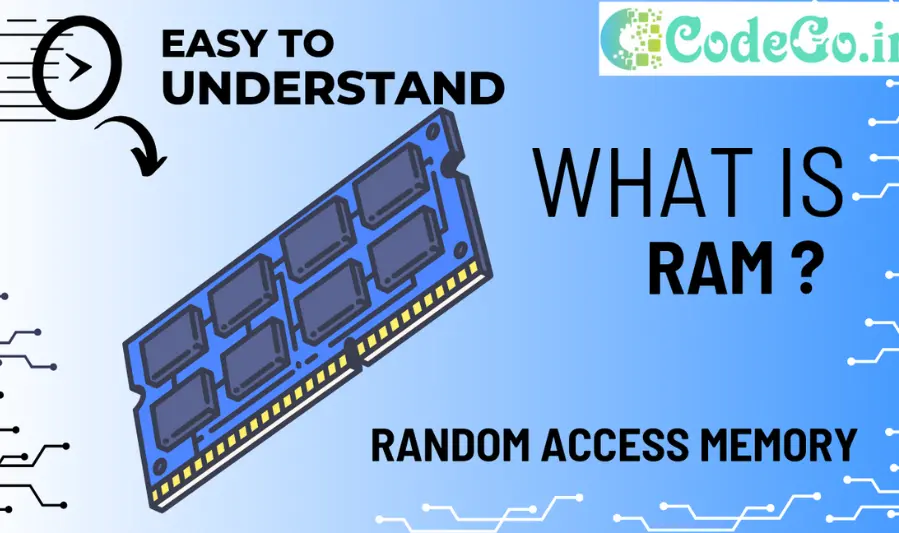
Clock Speed (MHz) and Its Impact
RAM speed is measured in megahertz (MHz), which indicates how many cycles per second the memory can perform. Higher clock speeds mean data can be read from and written to the RAM faster, which can improve system responsiveness, application performance, and overall throughput. For example, RAM running at 3600 MHz processes data quicker than RAM at 2400 MHz, benefiting tasks that rely heavily on memory bandwidth.
Latency (CAS Latency) and Why Lower is Better
CAS Latency (CL) is the delay, measured in clock cycles, between a command being sent to the RAM and the data being available. A lower CAS latency means the RAM can deliver data more quickly once requested. While higher clock speeds improve throughput, lower latency ensures faster response times, so the ideal RAM balances both high frequency and low latency.
Difference Between DDR4 and DDR5 RAM
- DDR4: The current mainstream memory standard, offering speeds typically from 2133 MHz to around 3600 MHz, with mature compatibility and affordable prices.
- DDR5: The latest generation, providing higher base speeds (starting around 4800 MHz and climbing beyond 8400 MHz), increased bandwidth, improved power efficiency, and features like on-die ECC for better stability. DDR5 is ideal for future-proofing and high-performance systems but may cost more and require compatible motherboards and CPUs.
Role of Dual-Channel and Quad-Channel Configurations
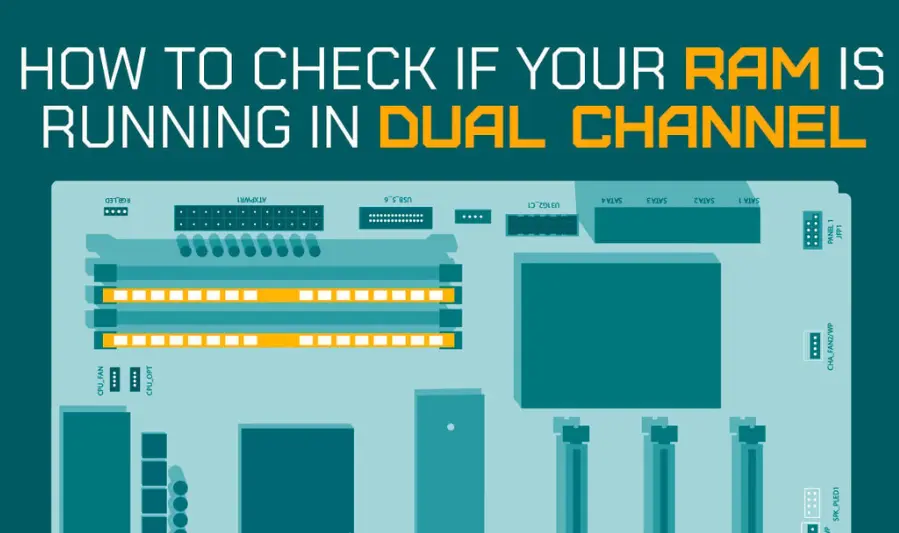
RAM modules often operate in multi-channel modes—most commonly dual-channel or quad-channel—which allow simultaneous data paths to the CPU, effectively doubling or quadrupling the memory bandwidth compared to single-channel setups. Using matched pairs or sets of RAM sticks enables these modes, significantly boosting performance in memory-intensive tasks like gaming, video editing, and 3D rendering.
Top Fastest DDR5 RAM Modules in 2025
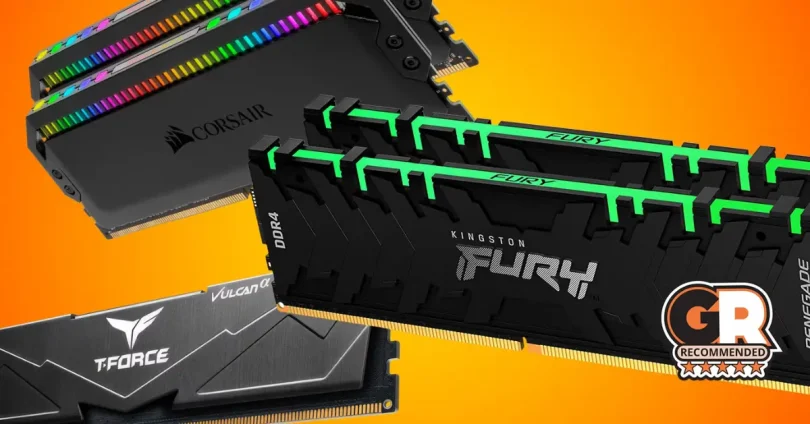
1. Corsair Dominator Platinum RGB DDR5
- Speeds: Up to 7800 MT/s
- Latency: CL30–CL36
- Capacity: 32GB (2x16GB), 64GB (2x32GB)
- Features: Premium build, customizable RGB via iCUE, DHX cooling, Intel XMP 3.0 & AMD EXPO support
- Price: ~$170–$250
- Ideal For: High-end gaming, overclocking enthusiasts, and users seeking top-tier performance and aesthetics
- Pros: Exceptional performance, striking design, effective cooling
- Cons: Premium pricing, taller heat spreaders may cause clearance issues
2. G.Skill Trident Z5 Neo RGB DDR5
- Speeds: Up to 6400 MT/s
- Latency: CL30–CL36
- Capacity: 48GB (2x24GB), 64GB (2x32GB)
- Features: AMD EXPO certified, Intel XMP 3.0 support, sleek design, RGB lighting
- Price: ~$110–$150
- Ideal For: AMD Ryzen 7000/8000 series builds, Intel builds, users seeking high performance with a focus on speed and tight timings
- Pros: Excellent performance, stylish design, good balance of price to performance
- Cons: RGB software might not be as refined as Corsair’s iCUE
3. Patriot Viper Xtreme 5 RGB DDR5
- Speeds: Up to 8200 MT/s
- Latency: Low latency optimized for Intel platforms
- Capacity: Varies
- Features: Aggressive styling, high-profile heat spreaders, optimized for Intel 13th and 14th Gen CPUs on Z790 motherboards
- Price: Premium pricing
- Ideal For: Intel enthusiasts, extreme overclocking, and users seeking record-breaking speeds
- Pros: Record-breaking speeds, striking design
- Cons: High price, potential clearance issues due to tall heat spreader
4. Corsair Vengeance RGB DDR5
- Speeds: Up to 6400 MT/s
- Latency: CL32
- Capacity: 32GB (2x16GB)
- Features: Brilliant ten-zone RGB lighting, advanced voltage regulation, iCUE software support
- Price: ~$124.99
- Ideal For: Gamers and PC enthusiasts wanting to upgrade to DDR5 technology with stunning RGB lighting
- Pros: Excellent stability, vibrant RGB lighting
- Cons: iCUE software can be somewhat bloated, premium price point
5. TeamGroup T-Force Delta RGB DDR5
- Speeds: Up to 6000 MT/s
- Latency: CL30
- Capacity: 32GB (2x16GB)
- Features: ARGB LED lighting, Intel XMP 3.0 and AMD EXPO support
- Price: ~$92.99
- Ideal For: Budget-conscious users seeking high-speed RAM with RGB lighting
- Pros: High-speed performance, affordable pricing, RGB lighting
- Cons: May not match the overclocking potential of higher-end kits
Summary Table
| RAM Module | Max Speed | Latency | RGB Lighting | Price Range | Ideal For |
|---|---|---|---|---|---|
| Corsair Dominator Platinum RGB | 7800 MT/s | CL30–36 | Yes | $170–$250 | High-end gaming, overclocking |
| G.Skill Trident Z5 Neo RGB | 6400 MT/s | CL30–36 | Yes | $110–$150 | AMD Ryzen builds, Intel builds |
| Patriot Viper Xtreme 5 RGB | 8200 MT/s | Low | Yes | Premium | Intel enthusiasts, extreme overclocking |
| Corsair Vengeance RGB | 6400 MT/s | CL32 | Yes | ~$124.99 | Gamers seeking RGB aesthetics |
| TeamGroup T-Force Delta RGB | 6000 MT/s | CL30 | Yes | ~$92.99 | Budget-conscious users with RGB needs |
Recommendations
- High-End Performance: For top-tier performance and aesthetics, the Corsair Dominator Platinum RGB and Patriot Viper Xtreme 5 RGB are excellent choices.
- Balanced Value: The G.Skill Trident Z5 Neo RGB offers a great balance between performance and price, especially for AMD users.
- Budget-Friendly: The TeamGroup T-Force Delta RGB provides high-speed performance with RGB lighting at an affordable price point.
you may also like to read these posts:
Top Powerful Processors for Ultimate Gaming Performance 2025
Best Motherboards in 2025: A Complete Comparison Guide
SSD vs HDD Performance Comparison: What You Need to Know
Fastest RAM in 2025: Best Memory Modules for Speed
How RAM Speed Affects Performance
Impact on Gaming Frame Rates and Load Times
- Faster RAM can improve frame rates, especially in CPU-bound games where the processor frequently accesses memory. Higher RAM speeds reduce the time it takes for data to travel between the CPU and memory, resulting in smoother gameplay and fewer bottlenecks.
- Load times also benefit from faster RAM because game assets and textures can be processed and streamed more quickly, reducing wait times during level loads or scene transitions.
- The performance gain varies by game engine and settings, but competitive gamers often see measurable improvements with higher-frequency RAM.
Effect on Content Creation Tasks Like Video Editing and 3D Rendering
- Applications like video editing, 3D modeling, and rendering rely heavily on memory bandwidth to handle large files and complex operations.
- Faster RAM speeds enable quicker data movement between the CPU and memory, accelerating rendering times, real-time previews, and effects processing.
- Professionals working with high-resolution video or complex 3D scenes benefit from both increased RAM capacity and speed to maintain smooth workflows.
Multitasking and System Responsiveness Improvements
- Higher RAM speeds help the system manage multiple applications running simultaneously more efficiently by reducing latency and increasing bandwidth.
- Everyday tasks such as web browsing, office productivity, and software development become more responsive, as the CPU can access memory data faster, decreasing lag and stuttering.
- In systems with integrated graphics (like many laptops), faster RAM significantly boosts graphics performance, as the GPU uses system memory.
Choosing the Right RAM for Your System
Checking Motherboard and CPU Compatibility
- Socket and Chipset Support: Verify that your motherboard and CPU support the RAM generation (DDR4 or DDR5) and speeds you want to use. For example, most Intel 12th/13th Gen CPUs and AMD Ryzen 7000 series support DDR5, but many older systems are limited to DDR4.
- Maximum Supported Speed: Motherboards list supported RAM speeds; exceeding these may require manual BIOS tuning or result in unstable performance.
- Number of RAM Slots: Ensure your motherboard has enough slots for your desired RAM capacity and configuration (dual-channel, quad-channel).
Balancing Speed, Latency, and Capacity
- Speed vs Latency: Higher MHz means faster data transfer, while lower CAS latency means quicker response times. Aim for a balance: very high speeds with high latency may underperform compared to slightly slower RAM with low latency.
- Capacity Considerations: More RAM capacity benefits multitasking and heavy workloads. For gaming and general use, 16GB is typically sufficient; content creation and professional tasks often require 32GB or more.
Budget Considerations and Value vs Performance
- Cost Efficiency: Faster RAM tends to cost more, especially at high capacities. Identify your performance needs and pick RAM that offers the best price-to-performance ratio for your use case.
- Future-Proofing: Investing in slightly faster RAM or higher capacity may save upgrade costs later, but only if your system supports it. Otherwise, it’s better to spend on other components.
DDR4 vs DDR5: Which Is Right for You?
- DDR4: Mature, more affordable, and widely supported. Ideal if you have an older system or are budget-conscious. Still offers solid performance for gaming and everyday tasks.
- DDR5: Offers higher speeds, better power efficiency, and future-proofing but comes at a premium price and requires compatible hardware. Recommended if building a new high-end PC or upgrading a compatible motherboard/CPU.
Tips for Installing and Optimizing RAM
Enabling XMP Profiles for Best Speeds
- Most high-performance RAM kits come with XMP (Extreme Memory Profile) or AMD EXPO profiles.
- Enabling these in your BIOS lets your motherboard automatically set the RAM to run at its rated speed, timings, and voltage, instead of default (usually slower) settings.
- To enable XMP/EXPO: Enter BIOS → Find the Memory/Overclocking section → Select and enable the correct profile → Save and reboot.
Matching RAM Sticks for Dual/Quad-Channel Setups
- To benefit from dual- or quad-channel memory, use matched pairs or sets of identical RAM sticks (same brand, speed, capacity, and timings).
- Populate the correct slots as specified by your motherboard manual (often color-coded) to enable multi-channel mode.
- Mixing different sticks can work but may run at the speed and timings of the slowest module and disable multi-channel benefits.
Overclocking RAM Safely
- Overclocking RAM can boost performance but requires careful tuning of frequency, timings, and voltage.
- Use your motherboard’s BIOS tools or software utilities to gradually increase speed and test stability with tools like MemTest86 or Prime95.
- Avoid excessive voltage increases to prevent damage and maintain system longevity.
- Keep an eye on temperatures; quality heat spreaders and good case airflow help maintain stability.
BIOS Updates and Compatibility Checks
- Motherboard BIOS updates often improve RAM compatibility and stability, especially with newer high-speed kits and CPUs.
- Before upgrading RAM or buying new modules, check for BIOS updates from your motherboard manufacturer.
- Some motherboards may need a BIOS update to support the latest DDR5 speeds or new RAM features.
Future Trends in RAM Technology
Expected Advances in DDR5 and Beyond
- Higher Speeds and Lower Latencies: DDR5 RAM will continue evolving, pushing speeds well beyond 10,000 MT/s while manufacturers optimize latency to improve overall responsiveness.
- Increased Capacity per Module: With advancements in chip density, individual DDR5 DIMMs will support capacities of 64GB, 128GB, and beyond, catering to demanding workstation and server environments.
- Improved Power Efficiency: DDR5 already reduces voltage compared to DDR4, but future iterations will further cut power consumption, essential for mobile and data center use.
- On-Die ECC (Error Correction Code): DDR5 includes on-die ECC to enhance data integrity, a feature expected to be refined and expanded for mission-critical applications.
Emerging Technologies and Standards
- DDR6 and LPDDR6: Although still in early stages, DDR6 promises even faster speeds and bandwidth, along with further improvements in energy efficiency, poised to launch within the next few years.
- 3D-Stacked Memory (HBM): High Bandwidth Memory, which stacks memory dies vertically, offers massive speed and bandwidth gains for AI, machine learning, and professional graphics workloads. This tech will complement, rather than replace, traditional DDR memory.
- Persistent Memory and Storage-Class Memory: Hybrid technologies that blur the line between RAM and storage, offering near-DRAM speeds with non-volatile data retention, promising new paradigms in system architecture.
Impact of Increasing RAM Speeds on Gaming and Professional Workloads
- Gaming: Faster RAM reduces bottlenecks in CPU-intensive titles, improving frame rates and load times. As games become more complex and utilize faster CPUs and GPUs, RAM speed gains will be increasingly noticeable.
- Professional Workloads: Video editing, 3D rendering, scientific simulations, and AI workloads benefit from increased memory bandwidth and capacity, accelerating data processing and enabling more complex projects.
- Multitasking and Virtualization: Higher RAM speeds enhance responsiveness when running multiple virtual machines or heavy multitasking setups, crucial for developers and IT professionals.
Faqs:
Is higher MHz RAM always better for gaming and performance?
Not necessarily. While higher MHz generally improves speed, the overall performance also depends on latency and system compatibility.
Can I mix different RAM speeds and brands in one system?
It’s possible but not recommended. Mixing speeds and brands can cause instability or force all RAM to run at the lowest speed.
How important is CAS latency (CL) compared to RAM speed?
Both matter; lower latency improves responsiveness, but balanced with higher clock speeds, you get the best performance.
Should I upgrade to DDR5 RAM if I have a DDR4-compatible motherboard?
No, DDR5 RAM requires a compatible motherboard and CPU. You’ll need to upgrade your platform to use DDR5.
How can I check if my RAM is running at its advertised speed?
You can enable XMP profiles in your BIOS and use software tools like CPU-Z to verify RAM speed and timings.
Conclusion:
Choosing the fastest RAM in 2025 can significantly enhance your PC’s overall performance, whether you’re gaming, creating content, or multitasking. Understanding key factors like clock speed, latency, and compatibility ensures you pick the best memory modules that fit your system and budget. With advancements in DDR5 technology and a variety of high-speed options available, now is a great time to upgrade and experience faster, smoother computing.